


A keyboard player learning a band's song usually has two bad options. Play along with the record and fight the recorded piano for space, or play alone and lose the groove. There's a third one: split the song into six stems, mute the piano, and play your part over everyone else. The stem separator does that in six-stem mode.
We tried it on Mgła by 3Biegun, one of our own recordings, which has a piano part.
Pick six stems
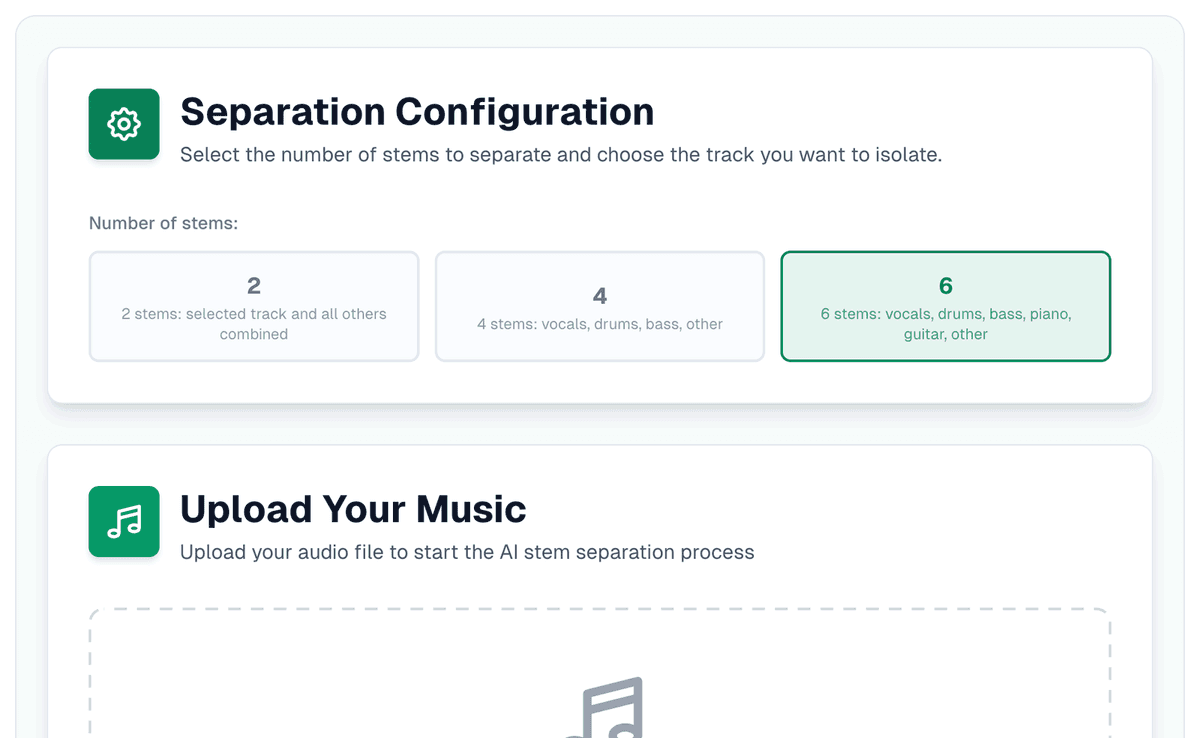
With four stems the piano goes into "other", along with everything that isn't vocals, drums or bass. Six stems takes it out on its own: vocals, drums, bass, piano, guitar and other. Choose 6 before you upload.
Mute the piano and play
When the separation finishes, the practice screen opens by itself, no account needed, and every stem gets a lane. Press M on the piano lane and it greys out with "muted, you play this part", while the rest of the band keeps going.
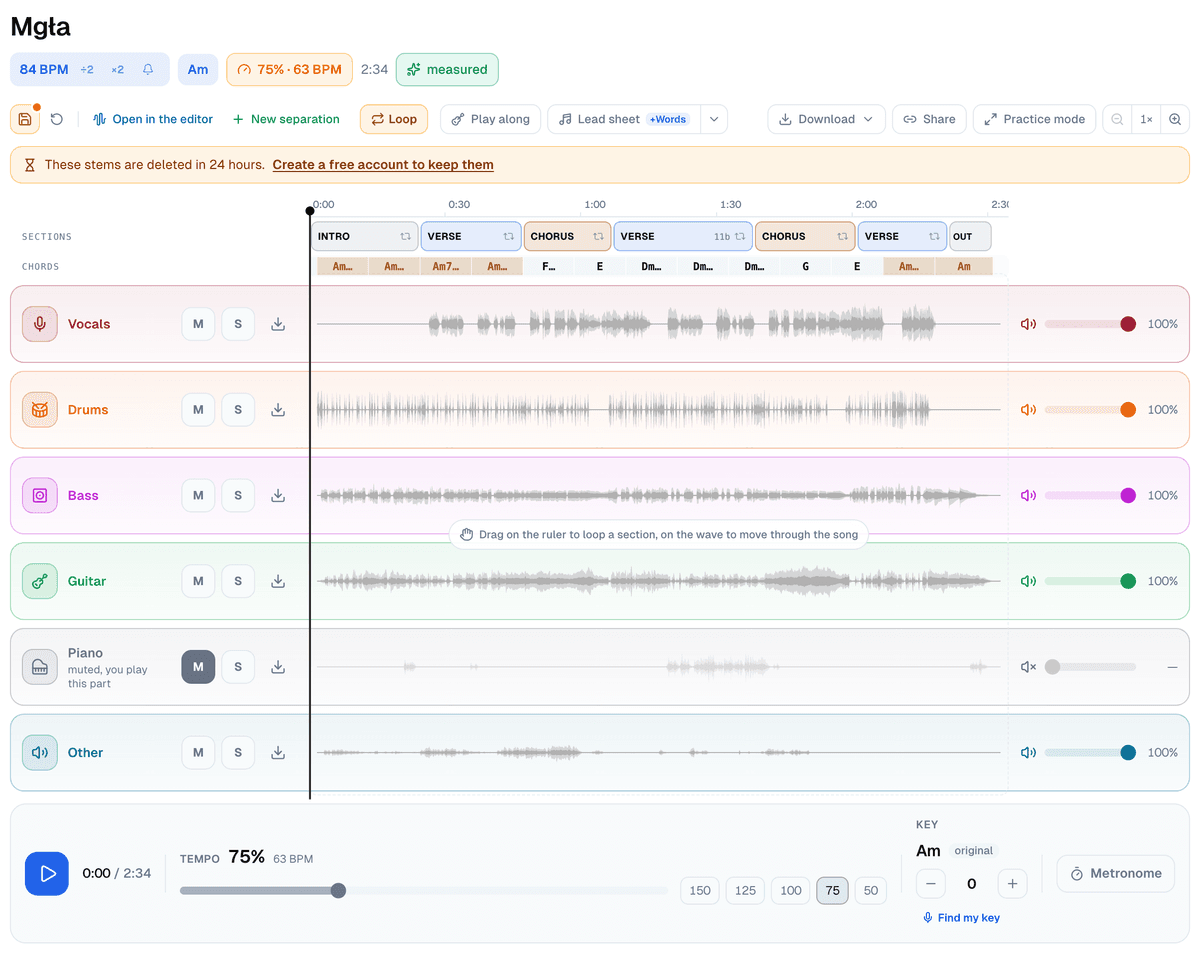
- Solo the piano lane (S) and hear the part on its own before you play it.
- Start a new part at 75%. The tempo slider goes from 40% to 150% and the pitch stays put, so the chords stay in the key you're reading.
- Drag along the time ruler above the lanes to loop the hard bars, or press "Loop" to loop the ones under the playhead, and save the loop with a name. A drag on the waveform itself moves through the song.
- The key control moves the whole backing by up to six semitones either way, which helps when the singer wants the song lower.
Where the piano stem is weakest
Of the six stems, piano is the least clean. The Demucs authors, introducing the six-source model, call its guitar okay and its piano source prone to "a lot of bleeding and artifacts". In practice that means a few things:
- A bit of the piano can stay in "other" or in the guitar lane, so you may still hear it faintly with its lane muted. Mute "other" too if it bothers you, and accept that whatever else lives there goes with it.
- Organs, pads and synths aren't a piano to the model. Depending on the sound, they land in the piano lane or in "other".
- Soloing the piano lane shows the artifacts at their worst. Most of them disappear once the band plays over them.
None of that gets much in the way of practice. Why separated stems bleed goes into the reasons.
Save it and hand it on
"Save session" keeps the tempo, key, muted parts, loops and a note. Without an account it's saved on this device; an account adds the cloud. "Share" makes a link to the exact setup: a bandmate or a student opens the song with the piano already muted and can't change your session.
Take a song you're learning, split it into six stems, mute the piano, and take the part from 75% up to full speed one loop at a time.


