


Reading a note off a staff and finding it on your instrument are two different skills, and most people who can do one struggle with the other. The Note Finder drills both directions at once: it puts a note on the staff and asks you to click it on a piano keyboard or guitar fretboard, or flips the question around and asks you to name a note it points to. Three answer directions, two instruments, and a panel that solves the part guitarists usually get stuck on: the same note sits in several places on the neck, and knowing the name doesn't tell you which one to reach for.
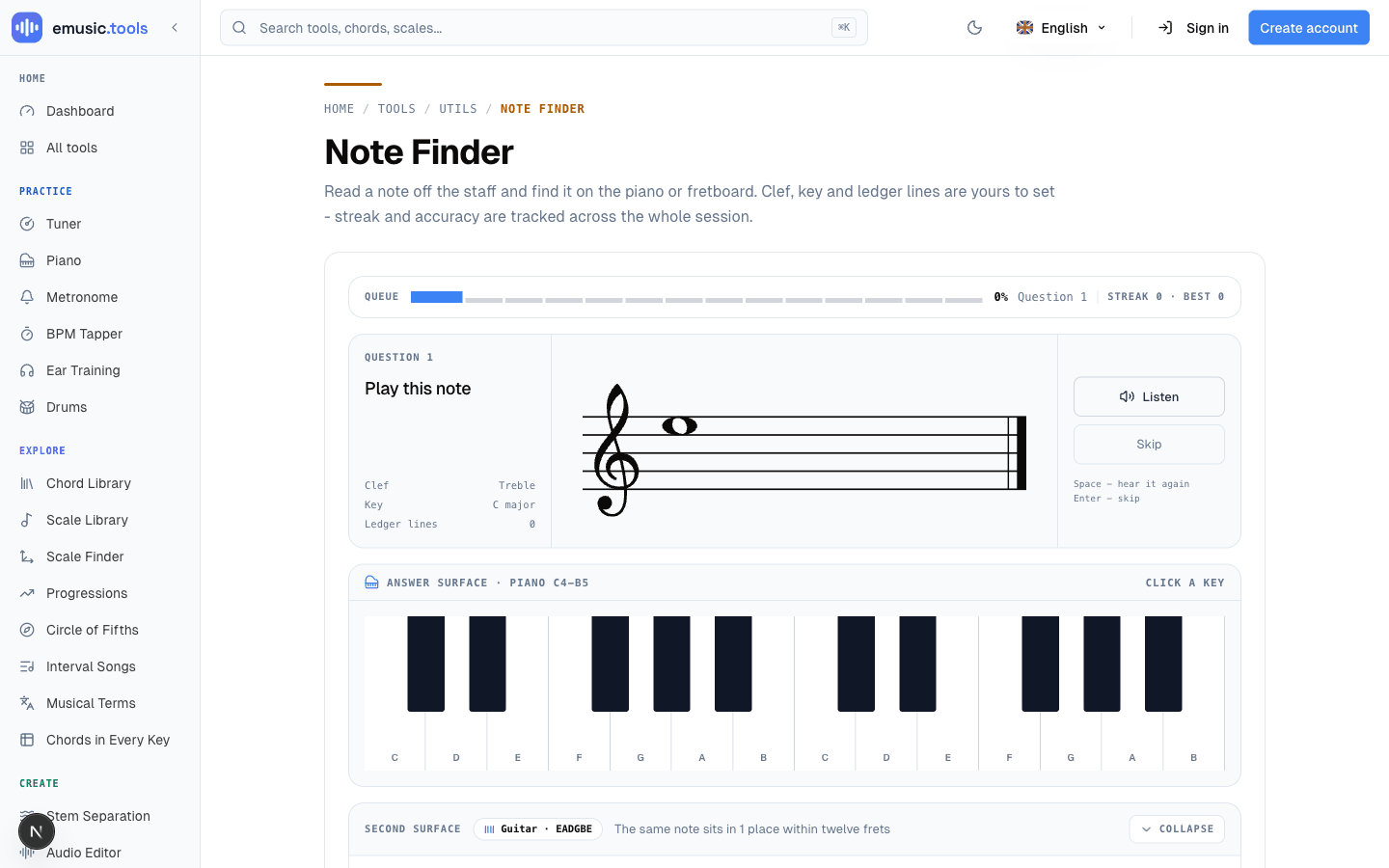
Three ways to ask the same question
The default mode, "Notes → instrument," engraves a note on the staff and you click the matching key or fret. "Instrument → name" flips it: a key or fret lights up and you pick its name from four choices. "Name → instrument" shows the name as plain text and you click it on the keyboard or fretboard. Same underlying skill, three different prompts, and switching between them stops you from just memorizing which button you clicked last time instead of actually reading the note.
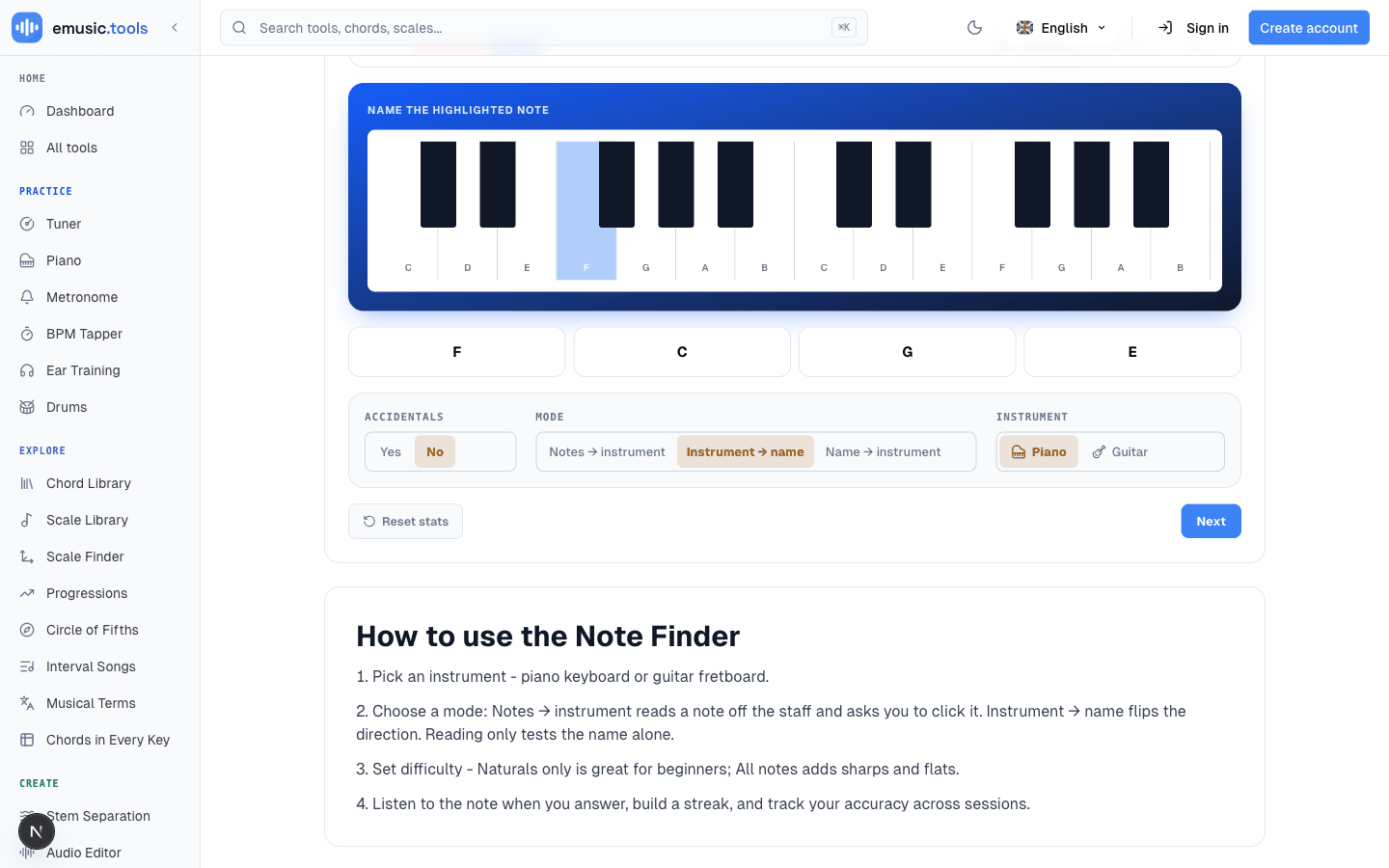
Notice the settings row shrinks in both instrument-first modes. Clef, key and ledger lines only apply to reading a staff, so they disappear, and only Accidentals, Mode and Instrument stay.
The second surface: why one note isn't one spot on guitar
This is the feature that makes the tool worth more than a flashcard app. Stay in "Notes → instrument" mode with the piano selected, and below the keyboard there's a collapsible "Second surface" card labeled "Guitar · EADGBE." It's open by default (Collapse folds it away) and maps the same note onto a full 12-fret fretboard, every matching position marked and clickable, plus a "Play every position" button that plays through all of them in sequence.
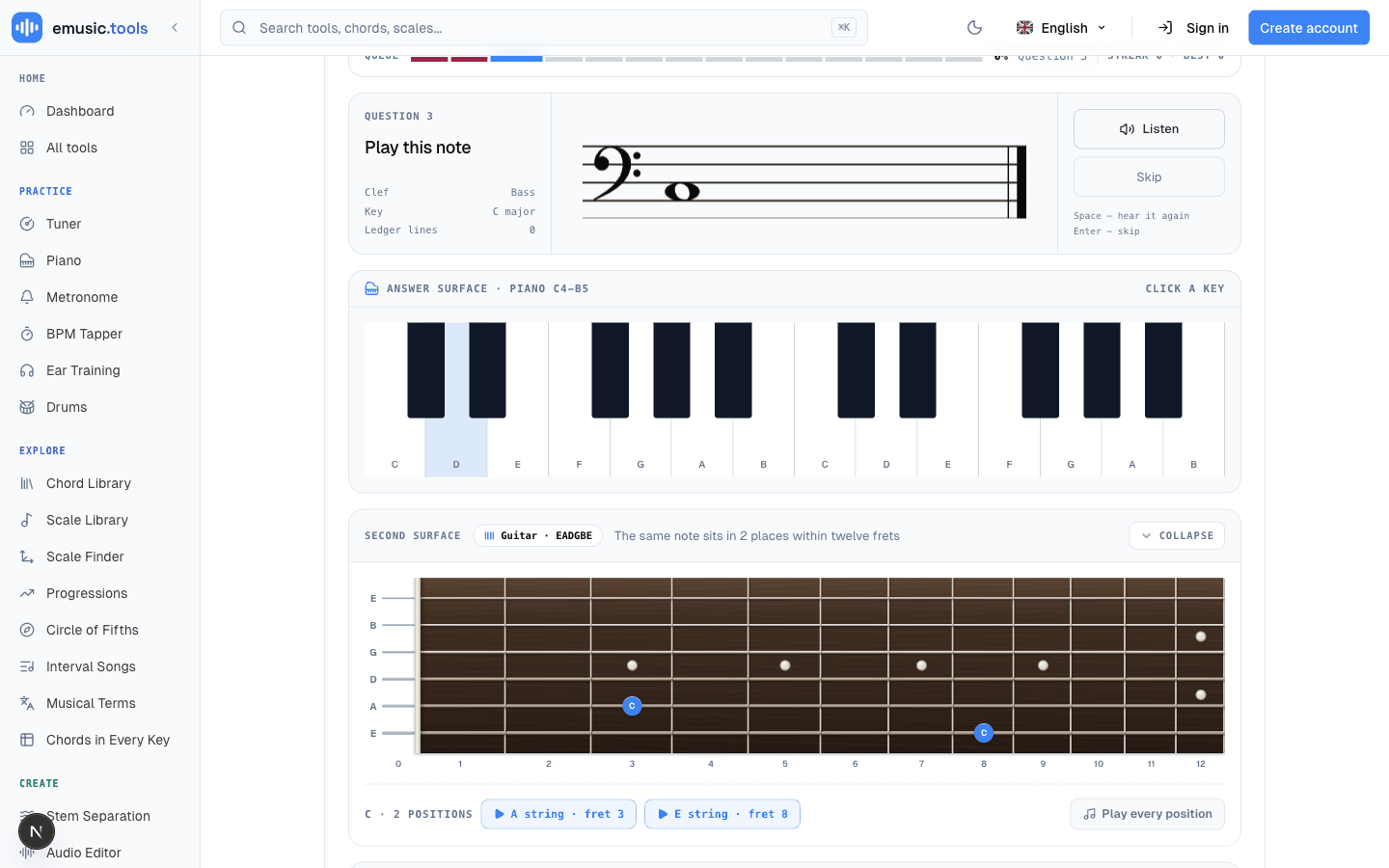
A note read off a bass staff, for instance, might sit at fret 3 on the A string and fret 8 on the E string, both marked and both playable. That's the actual gap between reading and playing: you can name a note instantly and still have to hunt for it on the neck, because guitar isn't laid out one-note-one-place the way piano is. The second surface turns that hunt into something you see and hear immediately, tied to the note you just read.
Or drill the fretboard directly
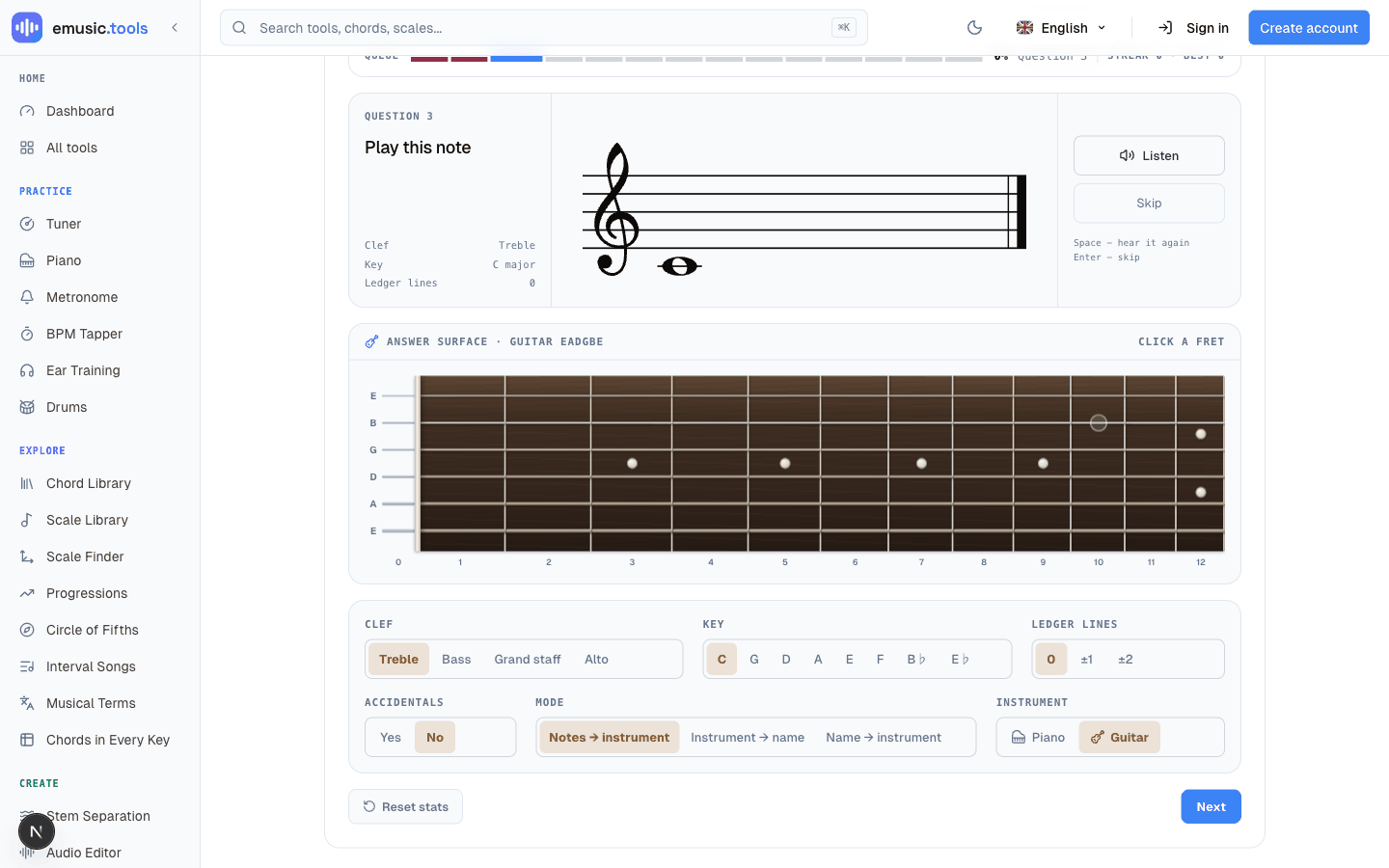
Switch the main instrument to guitar and the answer surface itself becomes the fretboard: 12 frets, 6 strings in standard EADGBE, click any fret that carries the right pitch class. Matching is by pitch class, not exact string or octave, so if the question is an E, clicking open low E, the 12th fret on the low E, or the 9th fret on the G string all count.
Turning up the difficulty once naturals feel easy
With the piano, the four clef options (treble, bass, "grand staff," alto) change which notes come up and how they're drawn. With the guitar, questions come from the whole neck and the clef only changes the drawing, so expect ledger lines even with Ledger lines set to 0. One caveat worth knowing: "grand staff" still draws a single treble stave under the hood, since the question only ever shows one note at a time, so don't expect a real bass-and-treble pair. Eight key signatures from C major through four sharps and three flats change the staff's key signature (not which note gets picked, just how it's notated). Ledger lines add a step of ±1 or ±2 beyond the staff itself, and setting Accidentals to Yes adds the black keys, always written as sharps, once natural notes stop feeling like guessing.
It keeps score without an account
Streak and accuracy update live and stay in your browser between visits, with no sign-in and no Pro limit. The strip of your last 14 answers clears when you leave the page. Every answer also goes into the same practice log as the ear-training "Note Identification" drill, so it counts toward your XP, practice streak and mastery map on the dashboard. Correct answers move on after under a second. A wrong one leaves the right answer on screen for two seconds, long enough to register the miss, and "Next question" (or Enter) skips the wait.
If reading notes and finding them on your instrument have always felt like separate chores, the Note Finder is built to close that gap directly rather than drilling either half alone.


