


The emusic.tools virtual piano is a piano online that opens in a second and plays straight away. No account, no download, nothing sent anywhere: you press a key and a recorded grand piano answers. It plays from a laptop keyboard, a phone screen or a USB MIDI keyboard, and it tells you what you're playing, which most online pianos don't.
What you get when you open it
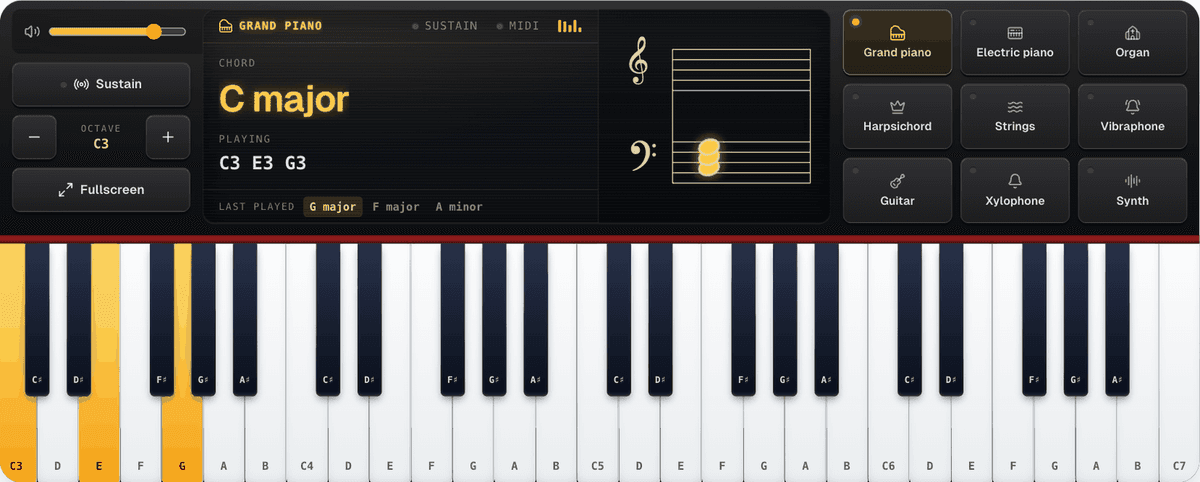
Up to four octaves on a desktop screen (49 keys), from C3 to C7 when it loads. The Octave down and Octave up buttons move that window anywhere between C1 and C8, which is a real 88-key piano without its three lowest keys. On a narrow screen the keys don't shrink into slivers you can't hit; the piano shows fewer octaves instead.
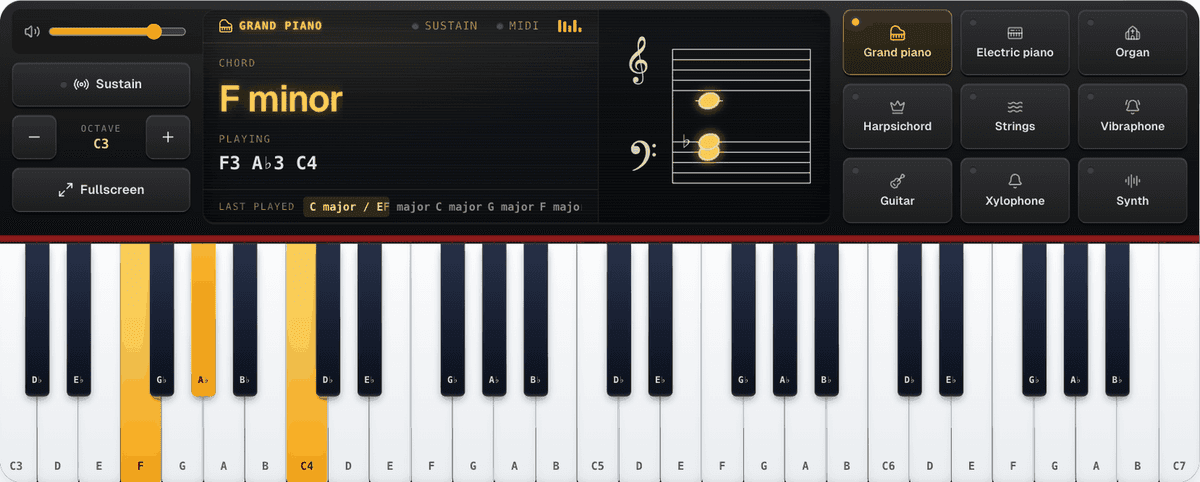
Above the keys sits a display, the way a stage piano has one, and it follows whatever you hold down:
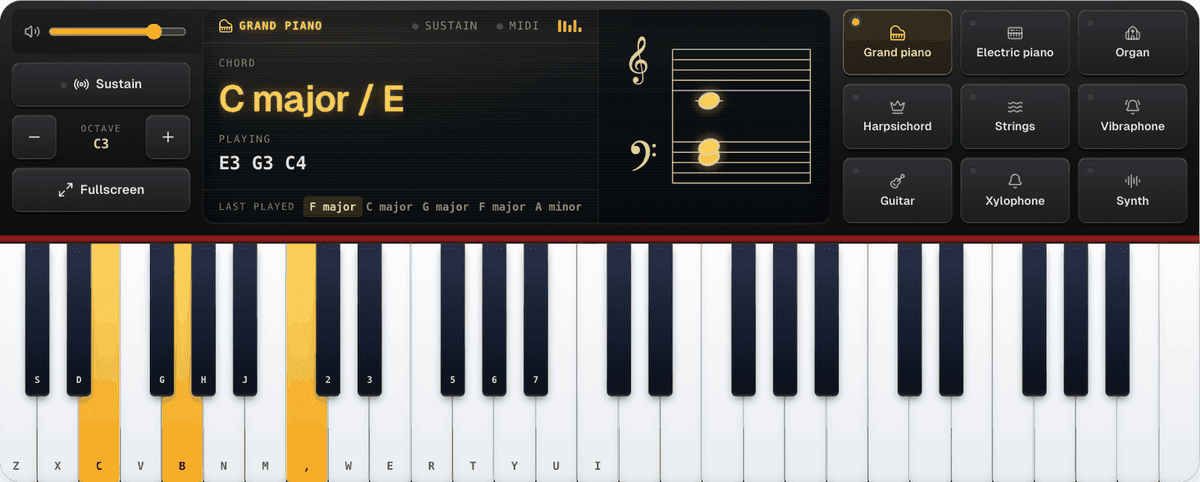
- Chord is the big line: the chord's name ("C major"), inversions included, so E G C comes out as "C major / E".
- Playing lists the notes with their octave (C3 E3 G3).
- Beside them, a grand staff in treble and bass clef writes the notes as you play them.
- Last played keeps your last five chords along the bottom. Each one is a button that plays it again, so after four chords that line is the progression.
The top line of the display says which sound is on, which keys are on screen, and whether Sustain and MIDI are on.
So it's more than a keyboard that makes sound. If you're working out a chord from a song, you see its name. If you're learning to read music, you see where the note sits on the staff.
How to play piano online with your computer keyboard
The bottom letter row is the white keys: Z X C V B N M play C D E F G A B, and the comma plays the next C. The black keys sit where they would on a piano, in the gaps: S D for C♯ and D♯, G H J for F♯, G♯ and A♯. The top row repeats it an octave higher: Q W E R T Y U I for the white keys and 2 3 5 6 7 for the black ones. Two hands, two octaves.
Turn on Key shortcuts and each piano key shows the letter that plays it, so you don't have to memorise anything. Hold a key and the note holds with it, the way a real key does. Several keys at once make a chord.
On a phone or tablet
Every finger is tracked on its own, so on a touch screen you can hold a real three-note chord, and sliding a finger across the keys plays each one it crosses. The first touch switches the sound on (Tap for sound), which is how phone browsers want audio to start.
A phone held upright shows one row of keys. If you'd rather have more of the piano, Stacked keys puts two octaves on top of each other, lower one underneath, so both fit without scrolling.
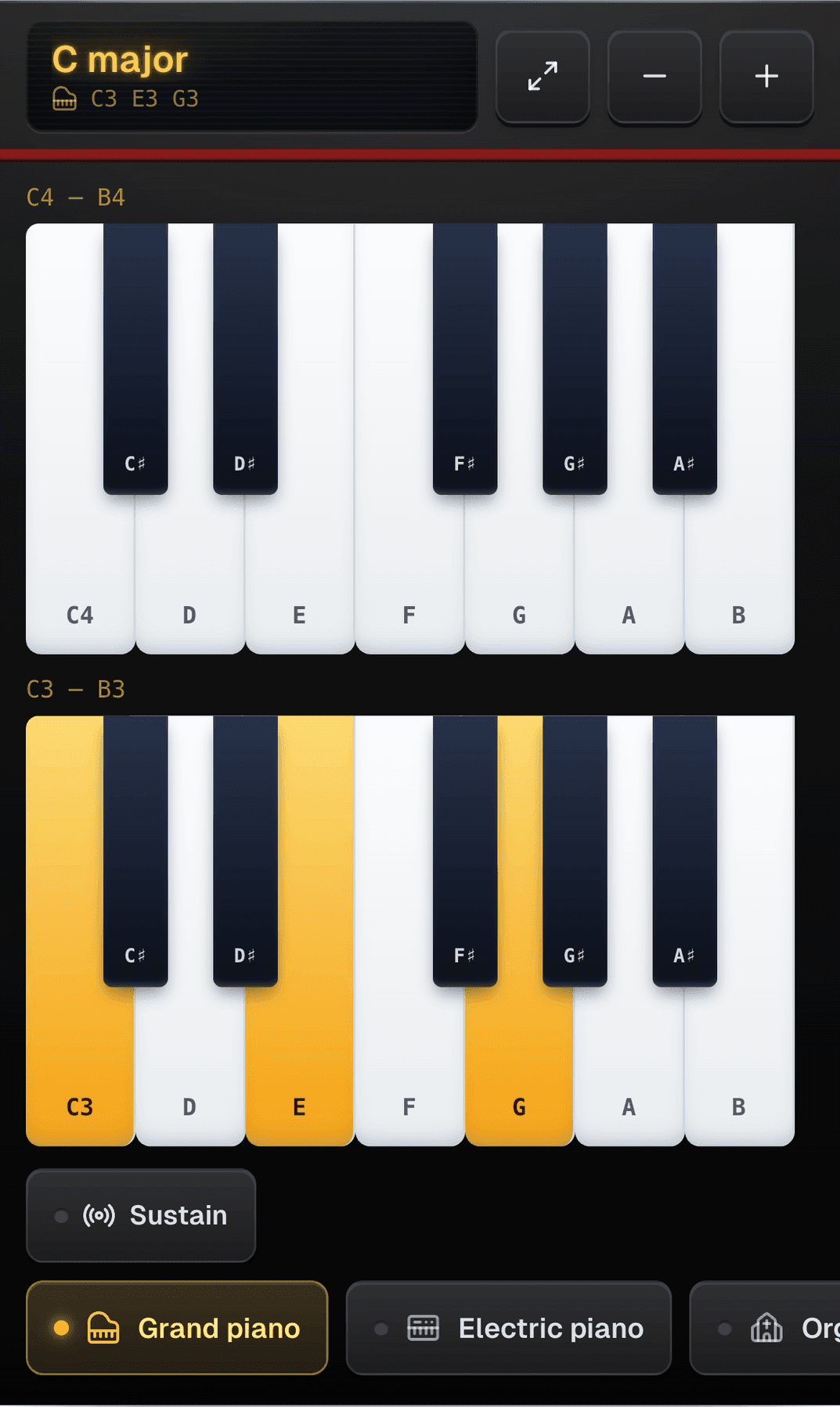
Further down the page a phone gets a short guide where a computer gets the keyboard map: one octave of practice keys that asks for a tap, a chord and a slide, and plays each of them through the piano at the top. There's no MIDI button on a phone. An iPhone has no Web MIDI at all, and on Android the MIDI input waits in the settings.
Plug in a MIDI keyboard
If you have a USB MIDI keyboard, connect it and press MIDI on the display's top line (or Connect under MIDI input in the settings). The piano picks it up and follows your velocity, so a soft touch plays quietly and a hard one plays loud. A sustain pedal plugged into the keyboard works too. This uses Web MIDI, which works in Chrome, Edge and Opera. Safari and Firefox still play fine with the mouse, touch and the computer keyboard.
That turns a cheap controller with no speakers into a working piano without a DAW or a plug-in.
How it sounds
The piano plays real recordings, not a synth pretending: the Salamander Grand Piano, a Yamaha C5 sampled every minor third from the lowest C to the top one, released under CC BY 3.0. Samples load one file at a time, the keys on screen first and then the rest of the instrument in the background, so the first note doesn't wait for the whole piano.
Nine sounds sit on the voice buttons, beside the display on a wide screen and under the keys on a narrower one: Grand piano, Electric piano, Organ, Harpsichord, Strings, Vibraphone, Guitar, Xylophone and Synth. The electric piano, organ, strings, harpsichord and vibraphone come from the FluidR3_GM sound font (CC BY 3.0), and the organ and strings hold for as long as you hold the key. A sound downloads only when you pick it, about 20 KB a note, so trying them all costs very little. Only the synth is synthesised.
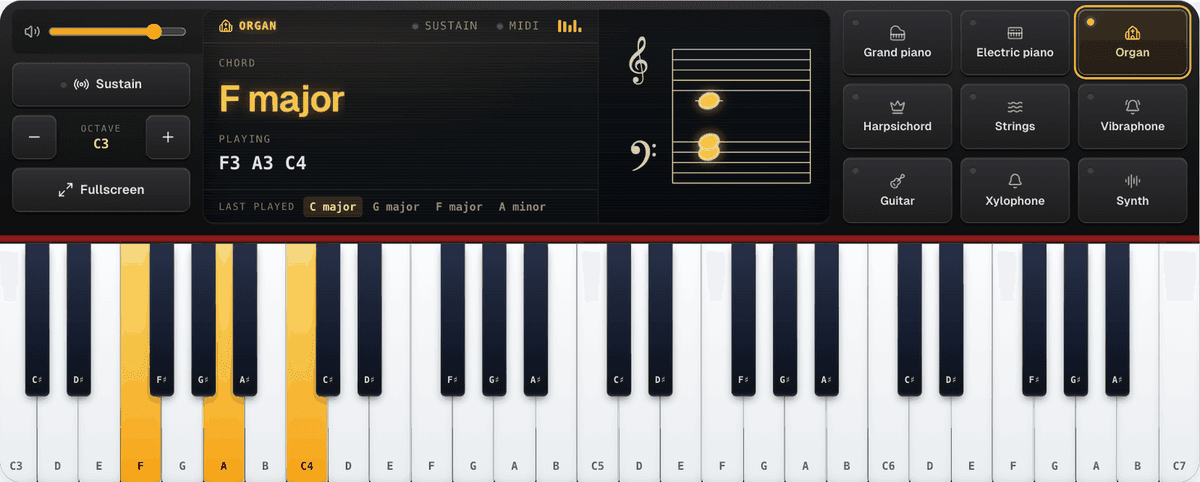
The Sustain button keeps notes ringing after you let go, like holding the right pedal down. Volume and the rest of the settings (note names, accidentals, the staff, key shortcuts and MIDI input) are in the Settings panel under the keys. On a touch screen there are no key shortcuts to switch on, and MIDI input only appears in a browser that supports it.
Accidentals switches the black keys between Sharps and Flats. It changes the key labels, the notes in the readout and the accidentals on the staff together, so F A♭ C reads as F minor with a proper flat, not a G♯.
Fullscreen: practice, theory and reading
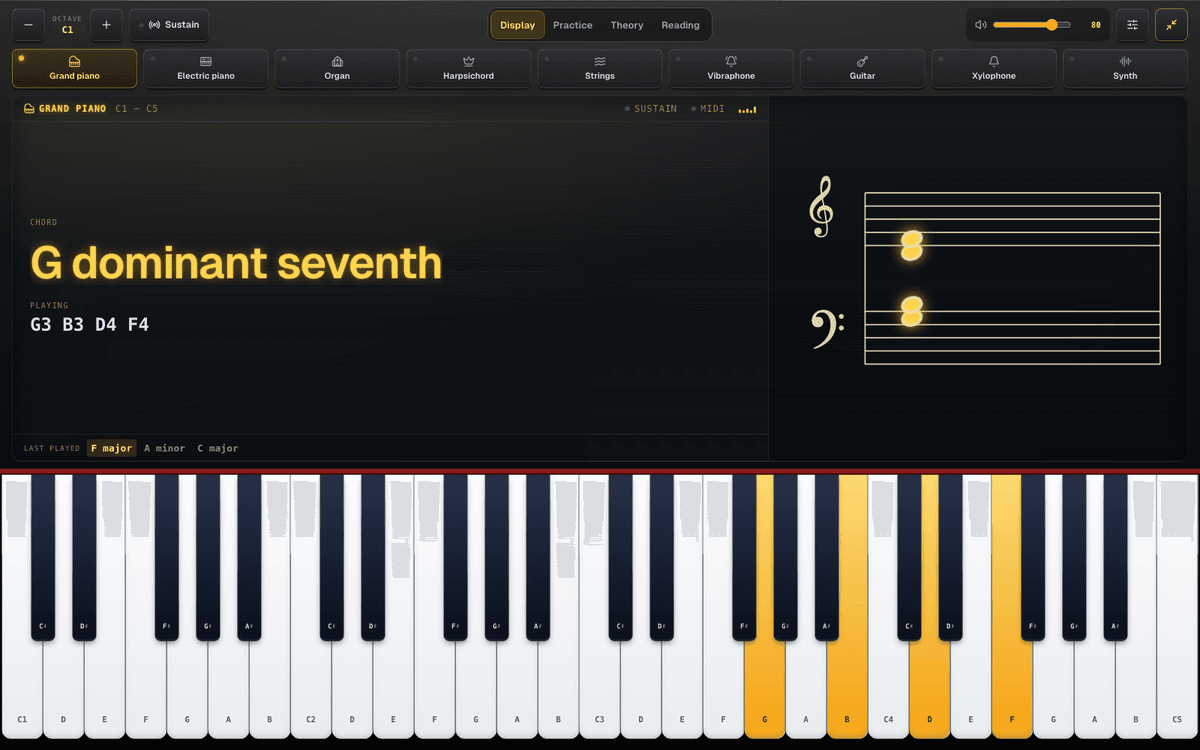
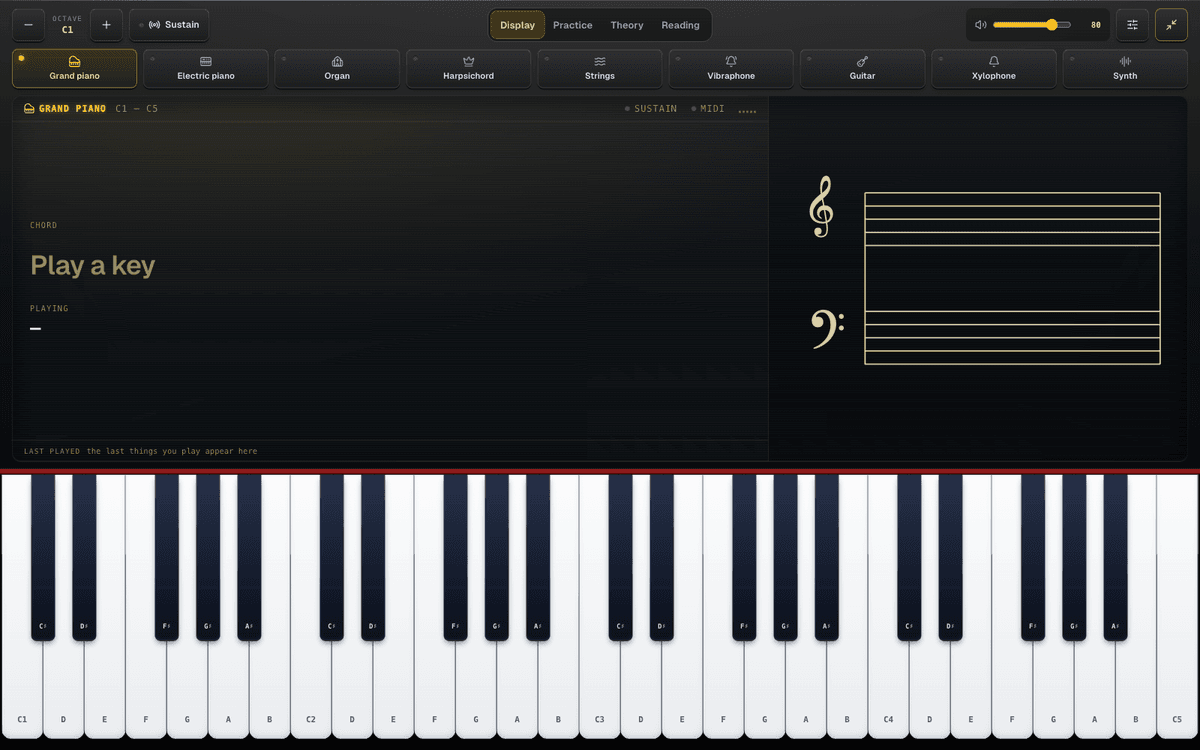
The Fullscreen button hides the rest of the page and turns the whole screen into the instrument: the same black case, the display directly above the keys and the nine voice buttons above it, with up to two octaves more on a wide monitor. Along the top you pick what sits above the keys:
- Display: the chord name at full size, the notes, the staff and the last eight chords you played.
- Practice: pieces as falling notes, right hand in blue and left hand in orange. You can loop a piece and slow the tempo to 0.5× or 0.8×.
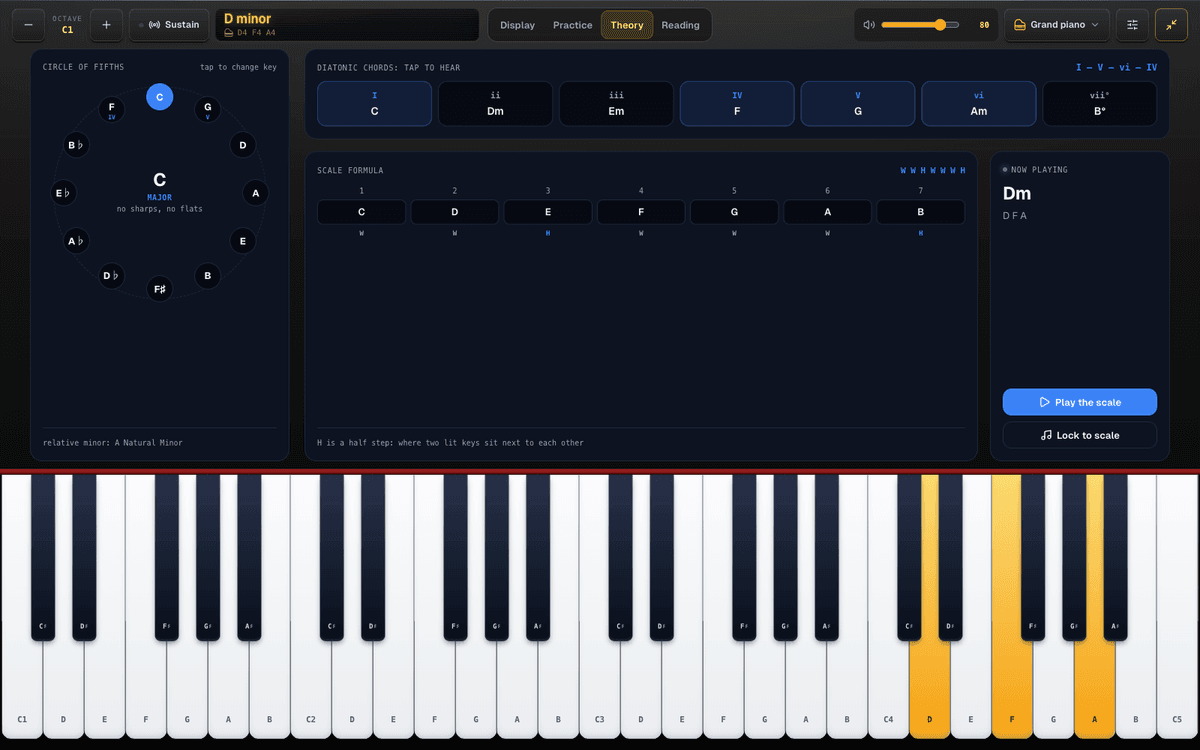
- Theory: a circle of fifths you tap to change key, the diatonic chords of that key to click and hear, the scale formula, and a Lock to scale switch that lights up the scale on the keys.
- Reading: a note appears on the staff and you play it. It counts your streak, accuracy and average time, in treble clef, bass clef or both.
The practice pieces are Bach's Prelude in C (BWV 846), the accompaniment of Satie's Gymnopédie No. 1, a five-finger exercise, the C major scale hands together, the I-V-vi-IV progression, an Alberti bass and a twelve-bar blues. All of them are in C except the Satie, which alternates Gmaj7 and Dmaj7.
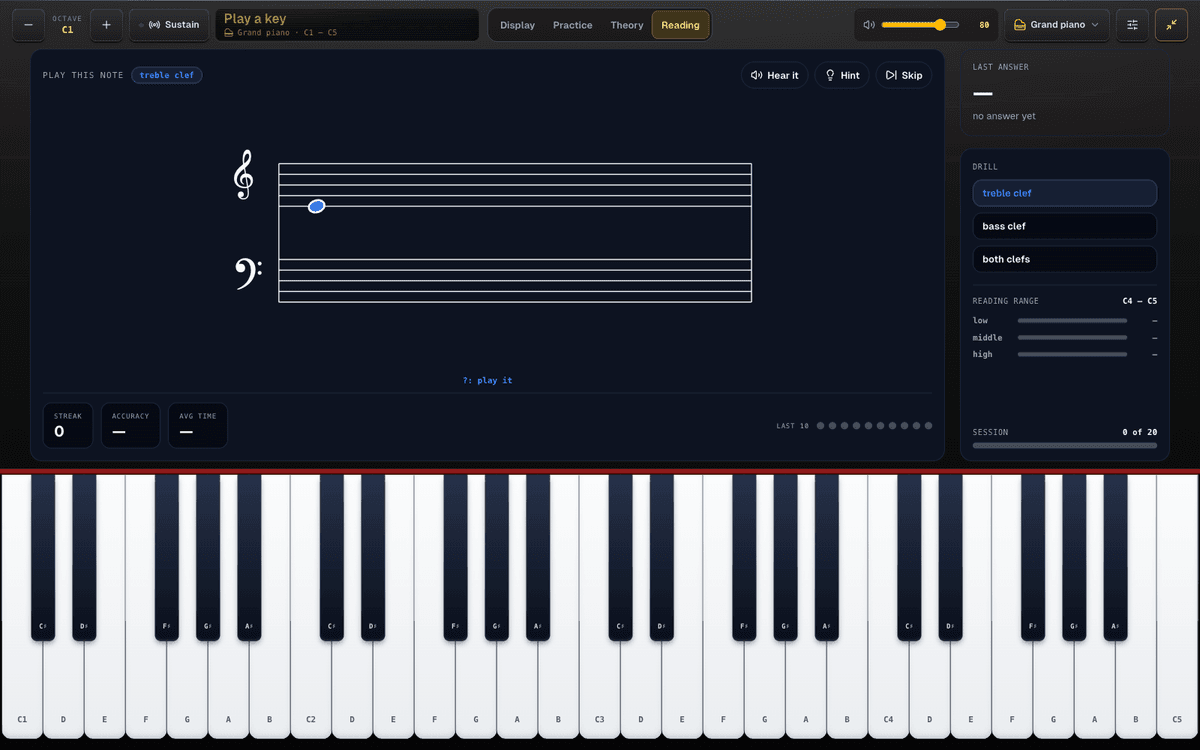
On a phone, fullscreen follows the way you hold it. Upright, the keyboard turns a quarter turn so the keys run the length of the screen. On its side, the buttons and a one-line display share the top row and the keys take everything else.
Why this one and not another online piano
- It names what you play. Most virtual pianos only make sound. This one tells you the chord, including the inversion, and writes it on the staff.
- A real piano sample across the whole range. The bass doesn't turn into a beep once you leave the middle octaves.
- A piano layout on your letter keys. The black keys are in the gaps, where your fingers expect them, rather than on an arbitrary row.
- Things to practise, not only a keyboard. Falling-note pieces, a circle of fifths and a reading trainer are built in, for free.
- Nine sounds. Grand piano, electric piano, organ, strings, harpsichord, vibraphone, guitar, xylophone and synth, each one loaded only when you pick it.
- MIDI with velocity, in the browser, with nothing to install.
- No account. Nothing you play leaves your browser.
When you want more: the advanced studio
For MIDI keyboard players there's the advanced piano studio. It's free, but it needs an account because it saves your work. It adds recording with MIDI export and import, a metronome and count-in, a key and scale panel with Roman numerals and transpose, MIDI Learn for your controller's knobs and buttons, scale and arpeggio drills, interval ear training, and a library of 23 pieces that fall onto the keys: 16 public-domain works from the Mutopia Project and seven studies of our own.
Where to go next
Once your hands know the layout, the Chord Library shows every chord shape on a piano keyboard and the Scale Library does the same for scales. If you play the notes and want to know what the chord is called, the Chord Finder works backwards from them. For a practice plan, technique and what to learn first, read How to Learn Piano in a Browser.
Or skip the reading and play the piano online now. Press Z, C and B together: that's C major.

