


Playing along with the record is how most guitarists learn a song, and it has one flaw: the guitar on the record is louder than yours and covers every slip. A guitarless backing track fixes that. The band stays, the recorded guitar goes, and yours is the only guitar in the room. The guitarless track maker makes one from an audio file in a few minutes.
The screenshots below come from one run on Ślad, a song by 3Biegun from our own recordings.
What you need first
- A recording you're allowed to use: your band's rehearsal, your own demo, a track you have permission for. The upload box asks you to confirm that before it takes the file.
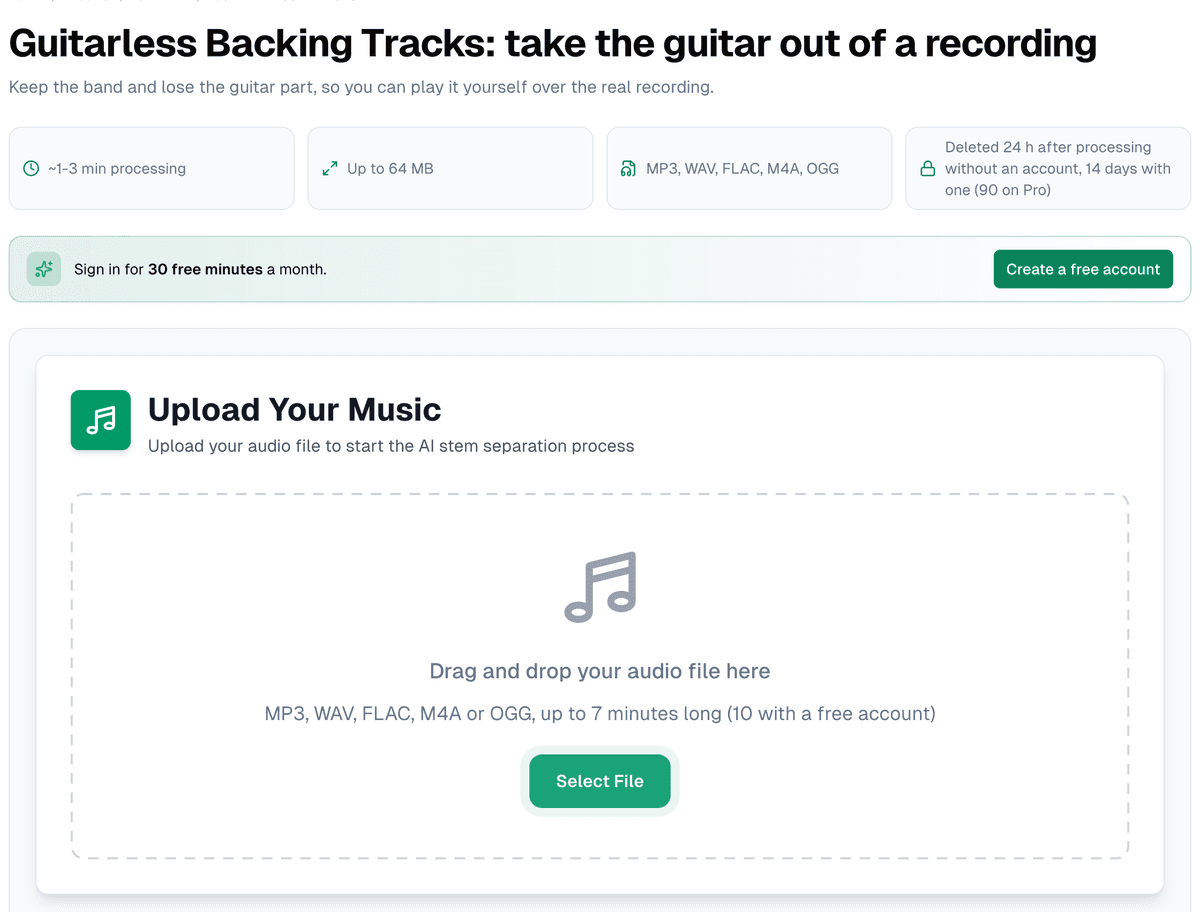
- MP3, WAV, FLAC, M4A or OGG, up to 64 MB, and up to 7 minutes long without an account (10 with a free one).
- A tuned guitar. The backing keeps the original key, so tune to concert pitch.
Make the track
Drop the file on the page and press start. This page is locked to one preset: six stems from the six-source Demucs model, the one that has a guitar among its instruments. A three- or four-minute song usually takes one to three minutes.
When it's done, the practice screen opens by itself with six lanes: vocals, drums, bass, guitar, piano and other, each with a mute (M) and a solo (S) button. The guitar lane starts muted and greyed out with "muted, you play this part", and the label at the top reads "No guitar: guitar muted", with "Turn the guitar on" beside it. Don't forget the recorded part is still there: when you're learning it by ear, the guitar lane on solo is the clearest view of it you'll get.
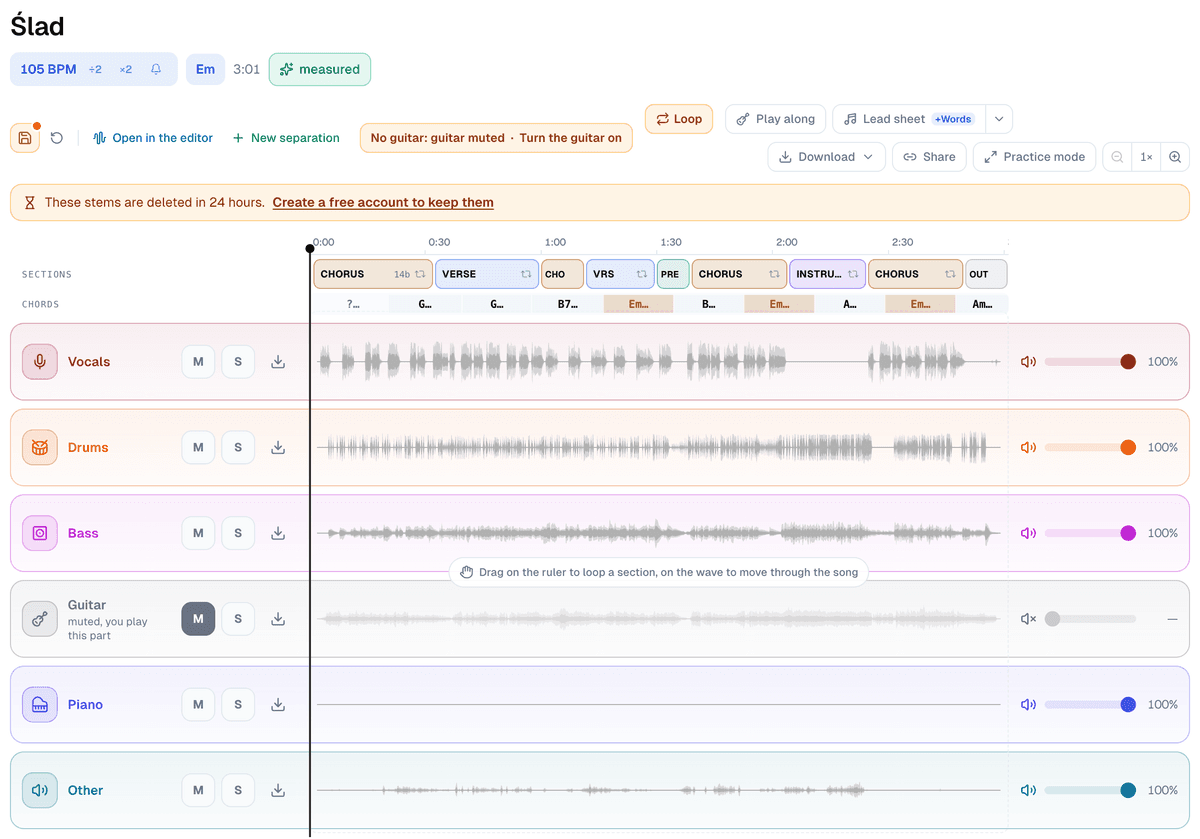
Listening and practising need no account. Files do: under "Download" the first item is "Song without guitar", the other five stems mixed into one file, and every stem also downloads on its own, the guitar included. A free account gets MP3s (the stems at 320 kbps), Pro gets WAV.
Practise over it
That's the whole trick, already set up: the band plays, the recorded guitar stays silent, and you fill the gap.
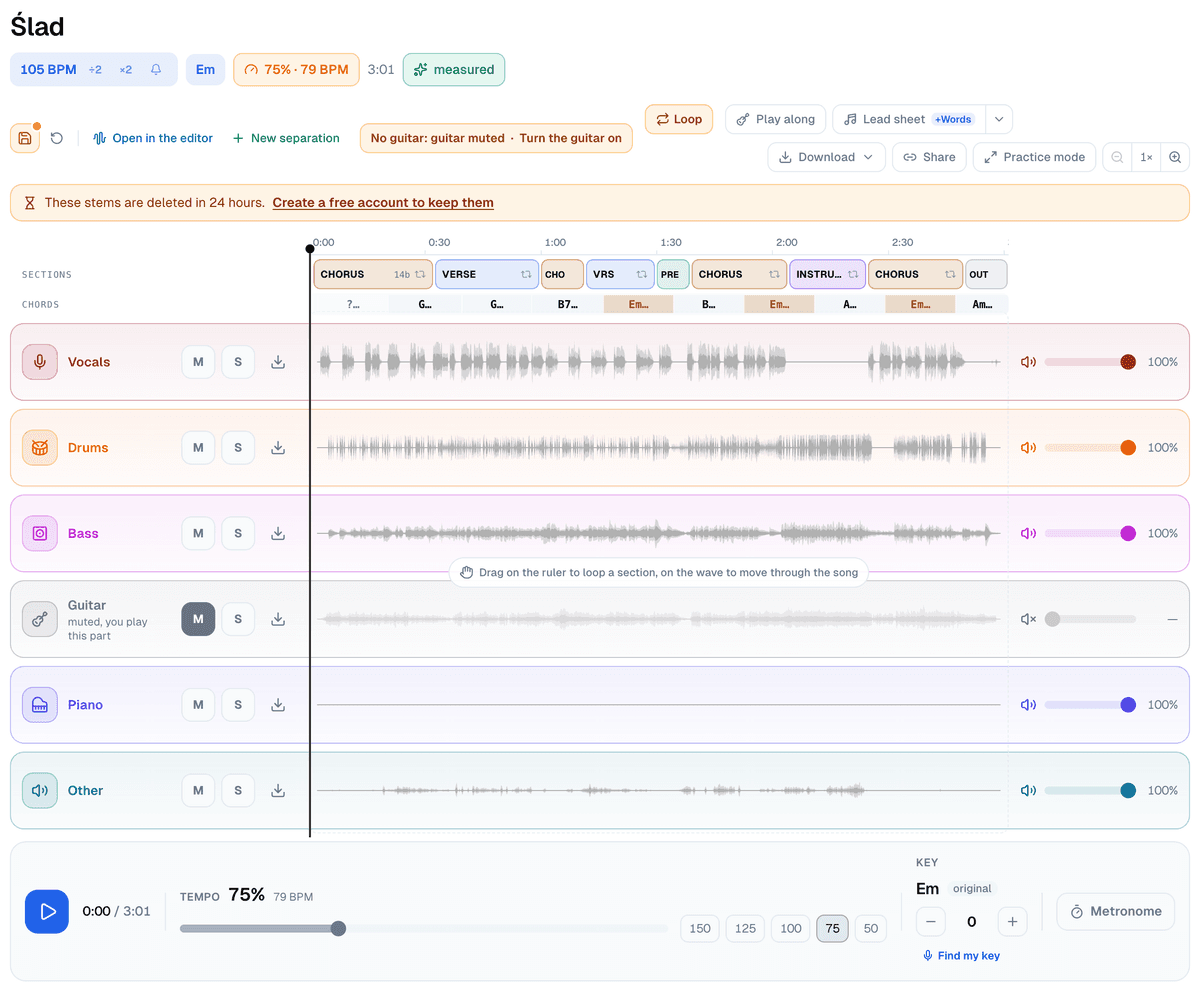
- The tempo slider runs from 40% to 150% without moving the pitch, with buttons for 150, 125, 100, 75 and 50. Start at 75 and go up once the part is clean.
- Drag along the time ruler above the lanes to loop a section, or click a section in the "Sections" row (a drag on the wave itself moves through the song). Save the loop with a name, "solo" or "bridge", and it's one click away next time.
- Set a count-in of one, two or four bars before the loop starts, so you don't come in cold.
- To check yourself, unmute the guitar lane for one pass, hear how the record plays it, then mute it again.
- If you play the song in a different key, move the whole backing up or down by as much as six semitones.
"Save session" keeps the tempo, key, muted parts, loops and a practice note. Without an account it's saved on this device; an account adds the cloud.
When the guitar doesn't come out cleanly
The model sorts sound by what it has learned a guitar sounds like, so a few things land on the wrong side. Every guitar it hears goes into the guitar file, which means two guitars leave together. A distorted synth can be counted as guitar and vanish from the backing. And where the guitar plays the same notes as the keys, a faint trace of it can stay behind. With the band playing over it you'll rarely notice. The piano has a lane of its own here, so if the keys double your part, mute them as well. Why separated stems bleed explains where these leftovers come from.
Try it on a song your band plays
Take one song from your setlist, cut the guitar out with the guitarless track maker, and practise the part at 75% until it sits. Then put the tempo back to 100 and play it through with the band.


