


Most drumless track guides stop at the download button. Here the separation doesn't end on a download at all. It opens a full practice screen with the drums already muted, the server counts the tempo and marks the sections and chords while you play, and there's a straight line from that to a lead sheet. None of it needs a second upload. Start at the drumless track maker and everything below follows from the same job.
Upload, then watch it work
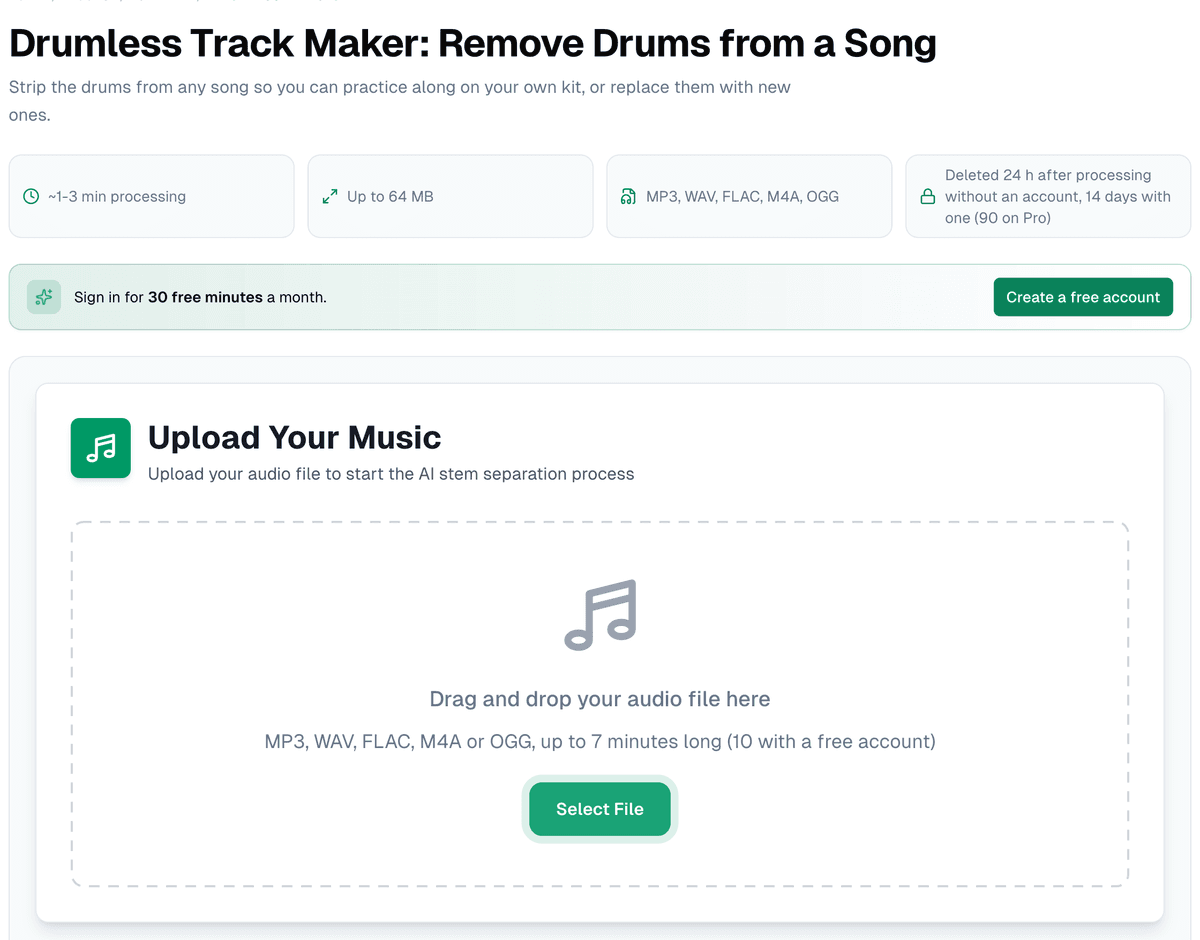
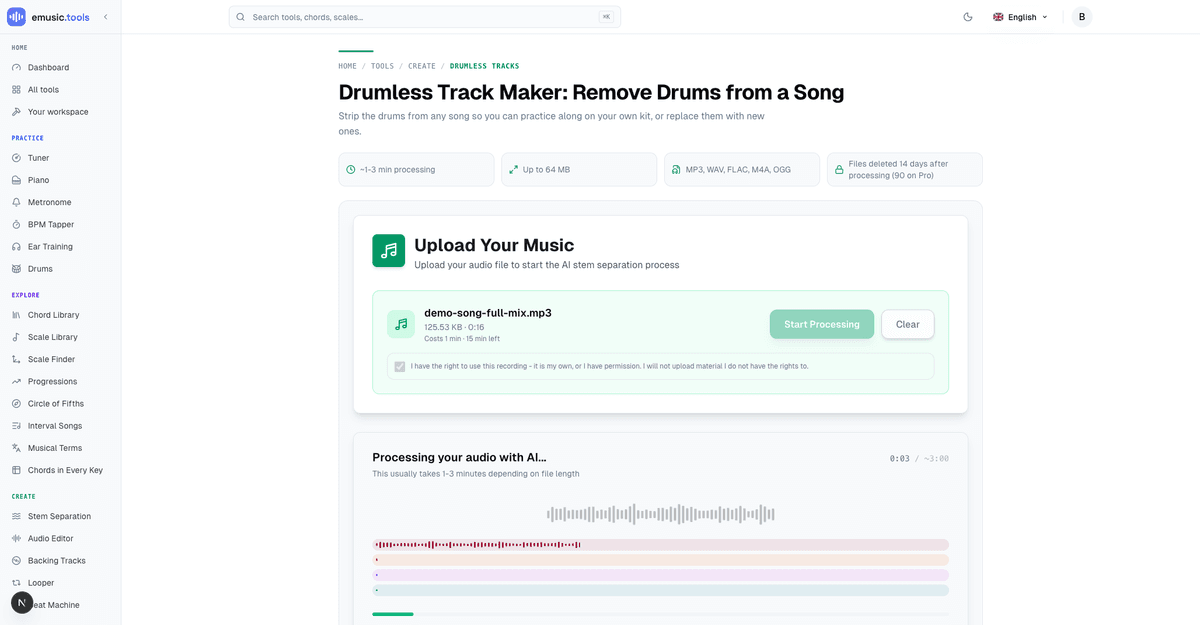
Drop a file up to 64 MB in MP3, WAV, FLAC, M4A or OGG (up to 7 minutes long without an account, 10 with a free one), tick the box confirming you have the right to use the recording, and press start. What follows on screen isn't a spinner: the mix comes apart into coloured lanes and a clock counts the seconds against a three-minute estimate, while Demucs splits the file into four stems: vocals, drums, bass and everything else.
Where the separation lands
There's no results list to read. When the job is done, the page opens the practice screen by itself, with four lanes: "Vocals", "Drums", "Bass" and "Other". Each one has its own waveform, M (mute), S (solo), a volume slider and a download button. The drum lane starts muted and greyed out with "muted, you play this part", and a label at the top reads "No drums: drums muted", with "Turn the drums on" beside it. Above the lanes sit the song's tempo with half-time and double-time buttons, its key, and the tools that used to live under the results: "Open in the editor", "New separation", "Lead sheet", "Download" and "Share". Because the drums are muted, the "Drums" panel also opens by itself under the lanes (the "Drums" button above them hides it): the drum part written out, as notation or as a grid, running with the song. Without an account it shows the first 32 bars or 30 seconds, whichever is shorter.
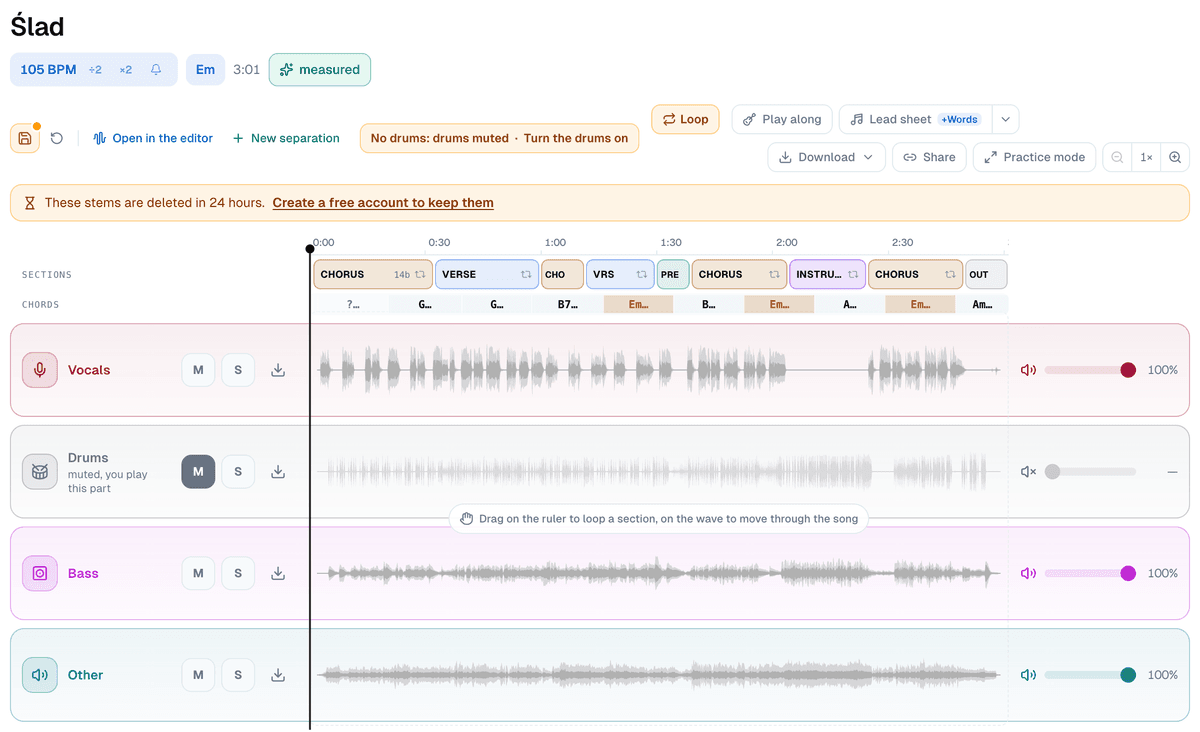
Without an account, a line under the tools says how long the stems stay: "These stems are deleted in 24 hours", with a link to create a free account, which keeps them for 14 days. Everything you can hear plays without one.
Practice mode
The practice screen gives a drummer what's needed while learning a part. Drag along the time ruler above the lanes to loop a section, or press "Loop" to loop the bars under the playhead (a drag on the waveform itself moves through the song). There's a tempo slider running continuously from 40% to 150% without changing pitch, five preset buttons (150, 125, 100, 75, 50) for a quick jump, a semitone transpose for the whole song, a metronome, and a count-in you can set to a bar, two bars or four, including a click mid-song if you drop into a loop partway through. "Save session" keeps the tempo, key, muted parts and loops. Without an account it's saved on that device; a free account keeps three sessions in the cloud, so the one you started on a laptop is there on any device.
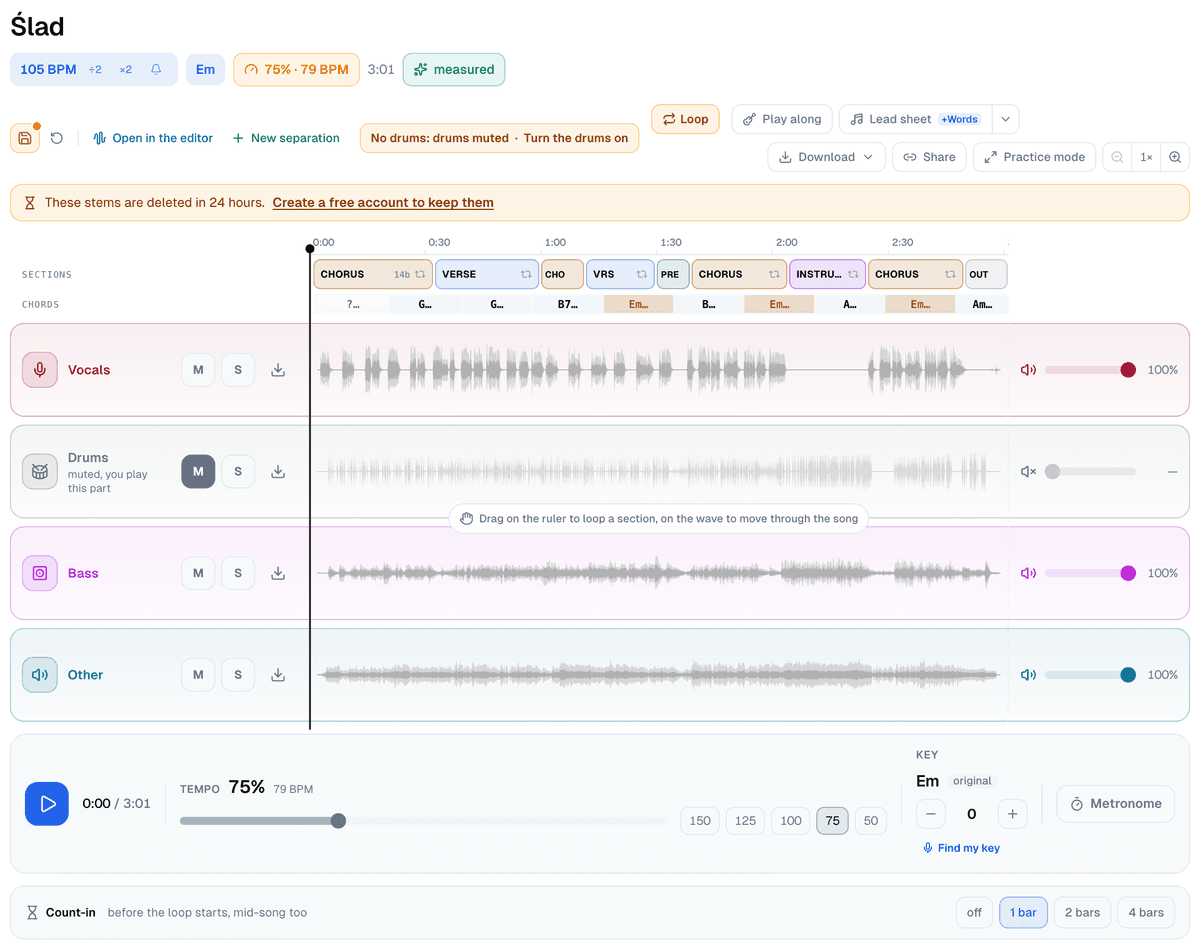
The song is already mapped when you get there, or a minute or so later. After the separation the server counts the beats and marks the verses, choruses and chords in the background, for every job, account or not. They show up as two rows over the lanes, "Sections" and "Chords". Click a section ("Click to loop it") and the screen loops it bar-accurate, so you jump straight to the second verse instead of scrubbing for it.
The wand: from a browser guess to a measured grid
The tempo and key at the top are there before the server says anything. For the first moments they're your browser's estimate. When the server's count arrives, a green "measured" label takes the place of the button beside them, and the grid under the lanes is the counted one. On your own fresh separation that happens by itself, account or not.
The button it replaces, "Get it exact", is the wand. It matters for a song that reaches the screen without the count, one separated before the server started analysing every job, say. Signed in, press it and it switches to "Measuring…" while the same audio goes to the server for an actual beat count instead of an estimate. Without an account it reads "Sign in for the exact grid".
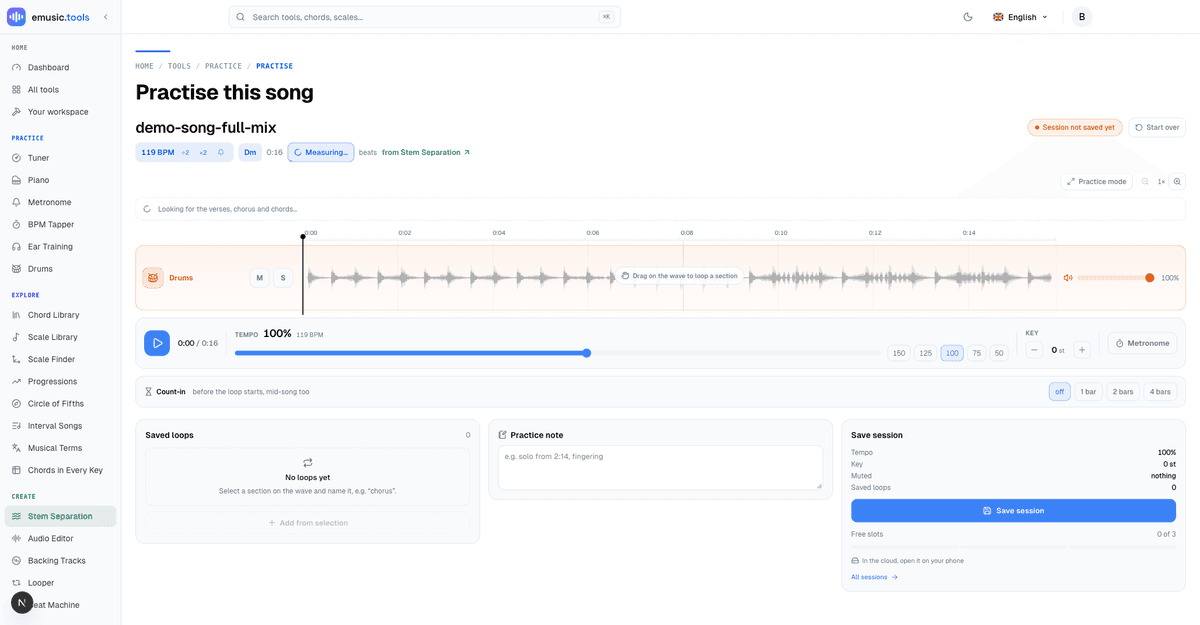
Three things can happen next. The server can confirm your browser was right. It can correct the number, drums stripped out or not, and you'll see the tempo or key change with an arrow between old and new. Or it can fail outright, and the UI is direct about it rather than hiding the miss:
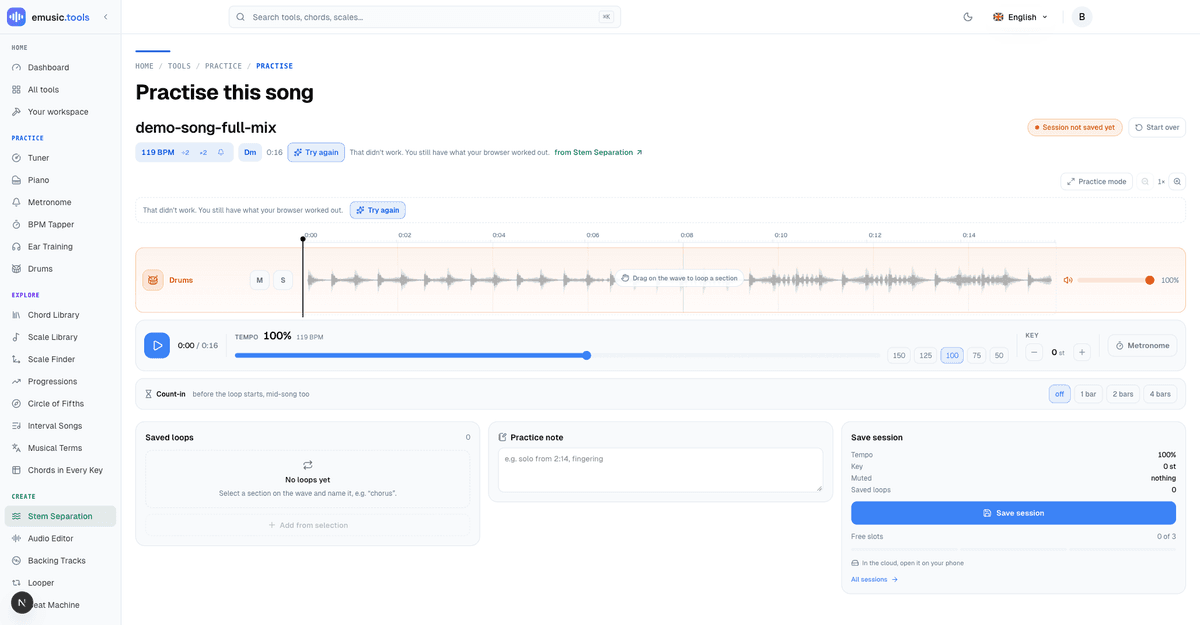
"That didn't work. You still have what your browser worked out." is the actual copy, next to a "Try again" button. Nothing is lost when this happens: the browser's estimate stays in place, you just don't get the upgrade this time. An account gets 50 of these runs a day, on the drumless track, a karaoke track or anywhere else the wand shows up; the estimate keeps working after that, only the exact count waits until the counter resets.
From a measured tempo to a lead sheet
Once there's a beat grid, a signed-in practice screen offers one more step: "Read the tune", which works out the melody on top of the chords it already found. A four-stem job has a separated vocal, so the server reads the tune off the voice instead of the whole recording. While that runs the button reads "Reading the tune…", and when it lands you get "Lead sheet with the tune" instead of a plain "Lead sheet" link, meaning the notation waiting for you has a melody staff, not just chord symbols over empty bars.
Either link, with or without the melody, lands in the standalone Lead Sheet Maker, which is a full chord-and-rhythm editor in its own right: bars per row, note grid down to sixteenths, pushes and slash chords, first and second endings, and a melody staff when you want to see the tune written out rather than just its chords.
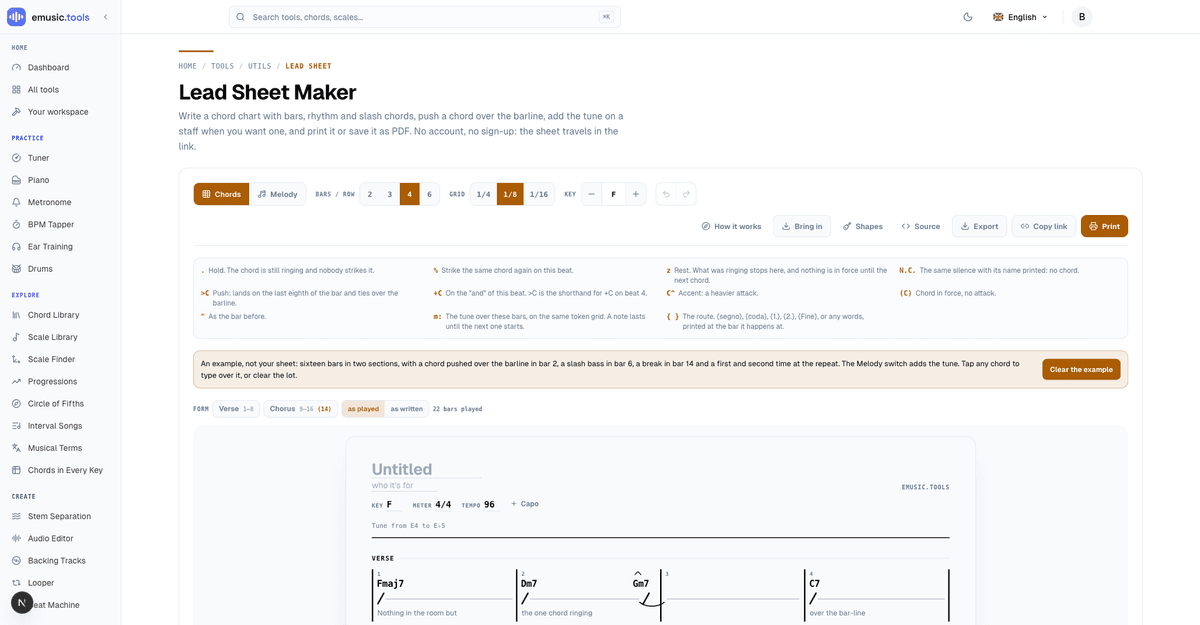
No sign-up gates the editor itself. It saves nothing to an account by default and travels as a link, which is worth knowing if you're handing a chart to a bandmate rather than keeping it for yourself.
Taking the track with you
Open "Download" and the first item is "Song without drums": the other three stems mixed into one file. After it come "All stems (ZIP)", "Mix without the muted parts" and each stem on its own. Files need a free account, and they aren't the only thing that does: without one the "Drums" panel stops at its preview, and "Read the tune" only appears once you're signed in. Without an account, any of those download items opens a "Downloading needs a free account" panel, and once you're back the file starts downloading by itself. A free account gets MP3s; "WAV comes with Pro", and so does the drums' MIDI file ("MIDI with Pro").
Put it together
The path start to finish is short: upload once, practise over the drum-free track with its tempo, sections and chords without signing in, create a free account when you want the file, and press "Read the tune" if you want a lead sheet out the other end instead of just numbers. None of the later steps ask for a second file. Start at the drumless track maker and the whole chain, practice screen, wand and lead sheet, is one upload away.


