


A normal metronome answers one question: where's the beat? The advanced metronome answers a few more. Where's the beat when two pulses disagree? Where does a 7/8 bar lean? How do I get from 80 to 140 without touching the tempo myself? Below is each feature with a setting you can open in one click and a way to practise with it.
One bar, four voices
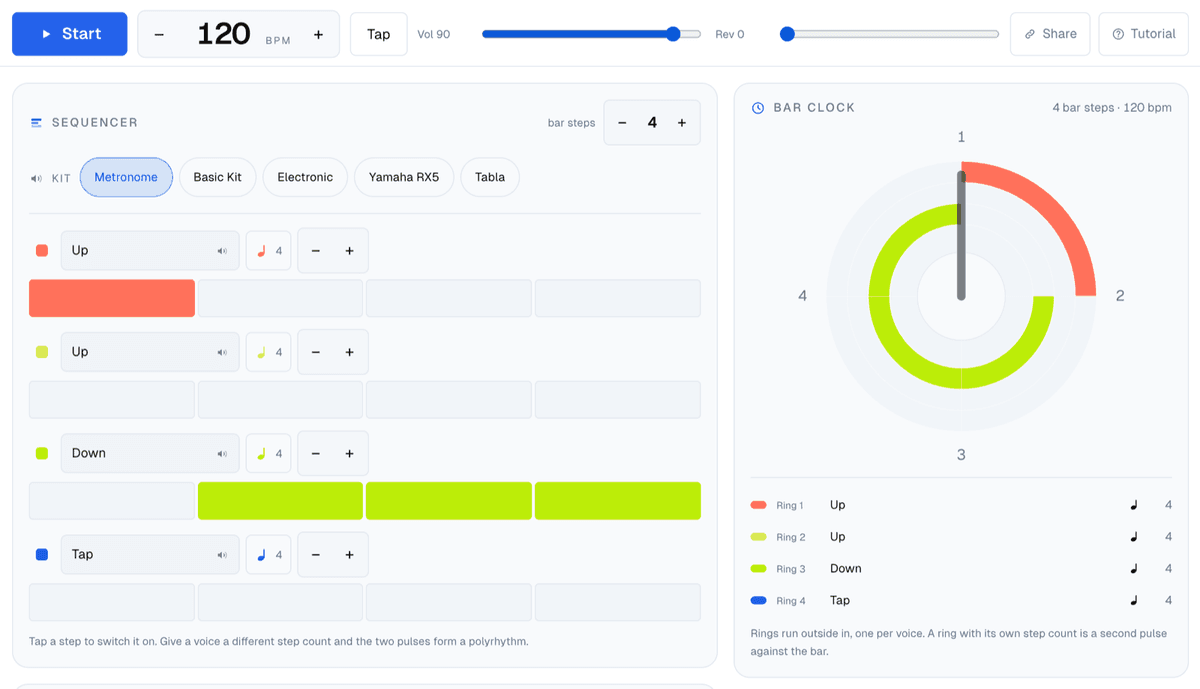
The screen is built around a single bar. Each of the four rows is a voice with its own sample, and you switch a step on by tapping it. The number next to "bar steps" sets how many steps the bar has, so four steps with the accent on the first is plain 4/4.
The transport sits on top: Start, the tempo with − and +, Tap for tapping a tempo in, volume, reverb, Share and a Tutorial that walks through the page in nine steps. On a keyboard, space starts and stops, the up and down arrows move the tempo by one (ten with shift), and left and right step through the speed trainer's plan.
The kit chips swap all four voices at once: a plain metronome click, a basic drum kit, an electronic kit, a Yamaha RX5 and tabla. Tap a voice's name to pick a different sample, including one borrowed from another kit.
Polyrhythms: give one voice its own grid
This is the part a basic metronome can't do. Every voice has its own step count, set with the − and + next to it, and it doesn't have to match the bar. Put the bar on four and one voice on three, and you get three even hits spread across the same bar as four. That's 3 over 4, a polyrhythm, not a subdivision, because neither pulse divides the other.
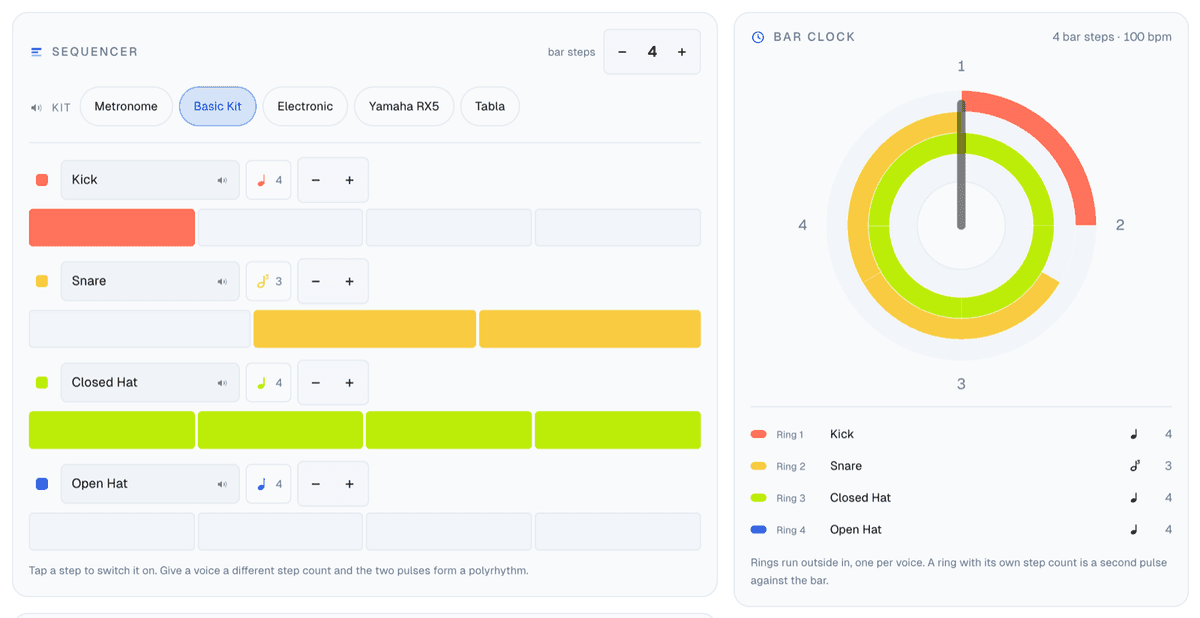
The bar clock on the right draws each voice as a ring, outside in. A ring with its own step count is visibly a second pulse against the bar, which helps more than you'd expect: you can see where the two line up (only on the one) and where they're furthest apart.
Settings to open:
- 3 over 4 at 70 BPM: the one to start with. Clap the three, tap your foot on the four.
- 5 over 4 at 60 BPM: slower, because five against four is much harder to feel.
- 7 over 4 at 50 BPM: for when 5:4 feels comfortable.
- 3 over 2 at 60 BPM: the hemiola, everywhere from Brahms to Afro-Cuban music.
A drill that works: play the pattern for eight bars hearing the four as the downbeat, then eight hearing the three. Mute a voice with the coloured square at the start of its row when you want to check whether you're still holding it on your own.
Cross rhythms: three pulses at once
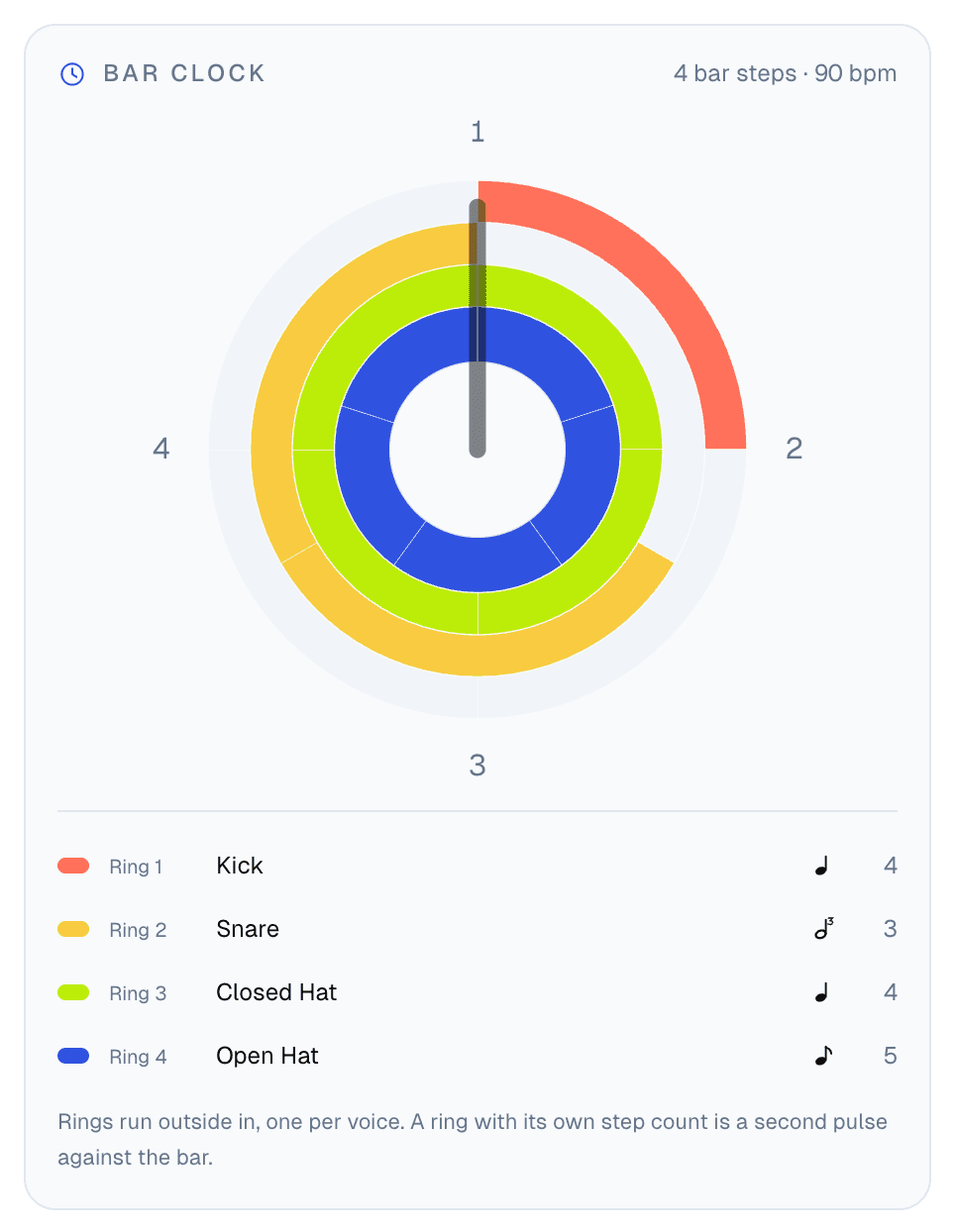
With four voices you're not limited to two pulses. The 3:4:5 cross rhythm puts three, four and five hits into one bar, and the clock draws them as rings of three, four and five segments, with the kick's downbeat on a fourth ring around them. Don't try to hear all three. Pick one as your anchor, play along with a second, and mute and unmute the third.
Odd time signatures with the accents already in
Open Presets and pick Odd meters. Every meter there loads with its grouping accented, so you hear the shape of the bar rather than a string of equal clicks. The first voice plays the downbeat, the second the start of each group, the third the remaining steps.
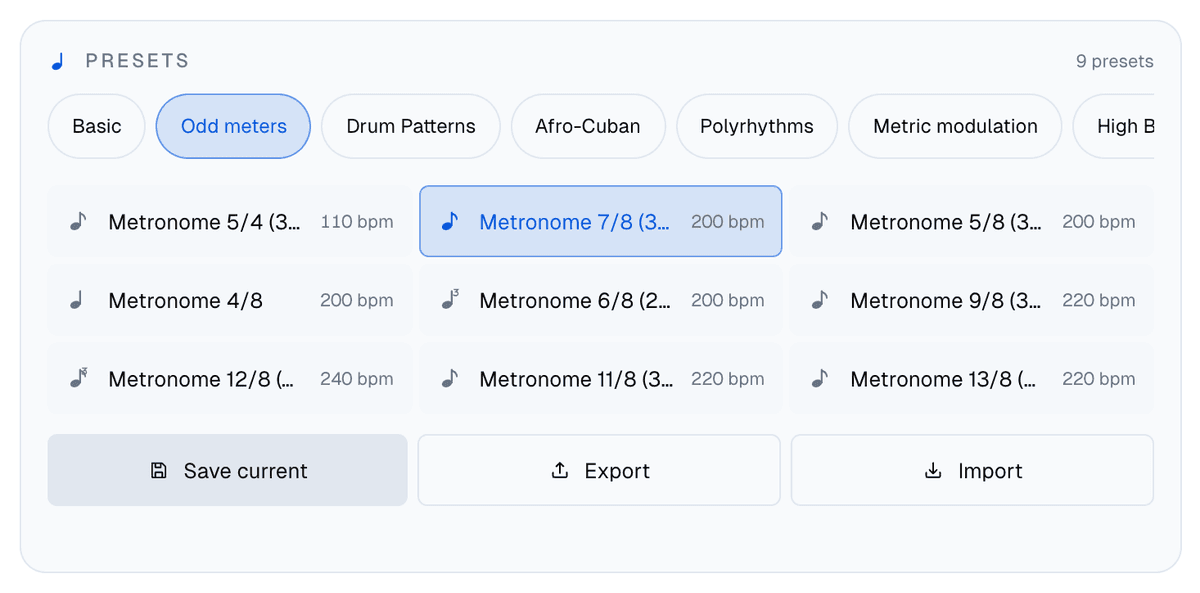
- 5/4 as 3+2, the "Take Five" shape.
- 7/8 as 3+2+2, long-short-short, with accents on steps 1, 4 and 6.
- 9/8 as 3×3, a slip jig feel.
- 11/8 as 3+3+3+2.
- 13/8 as 3+3+3+2+2.
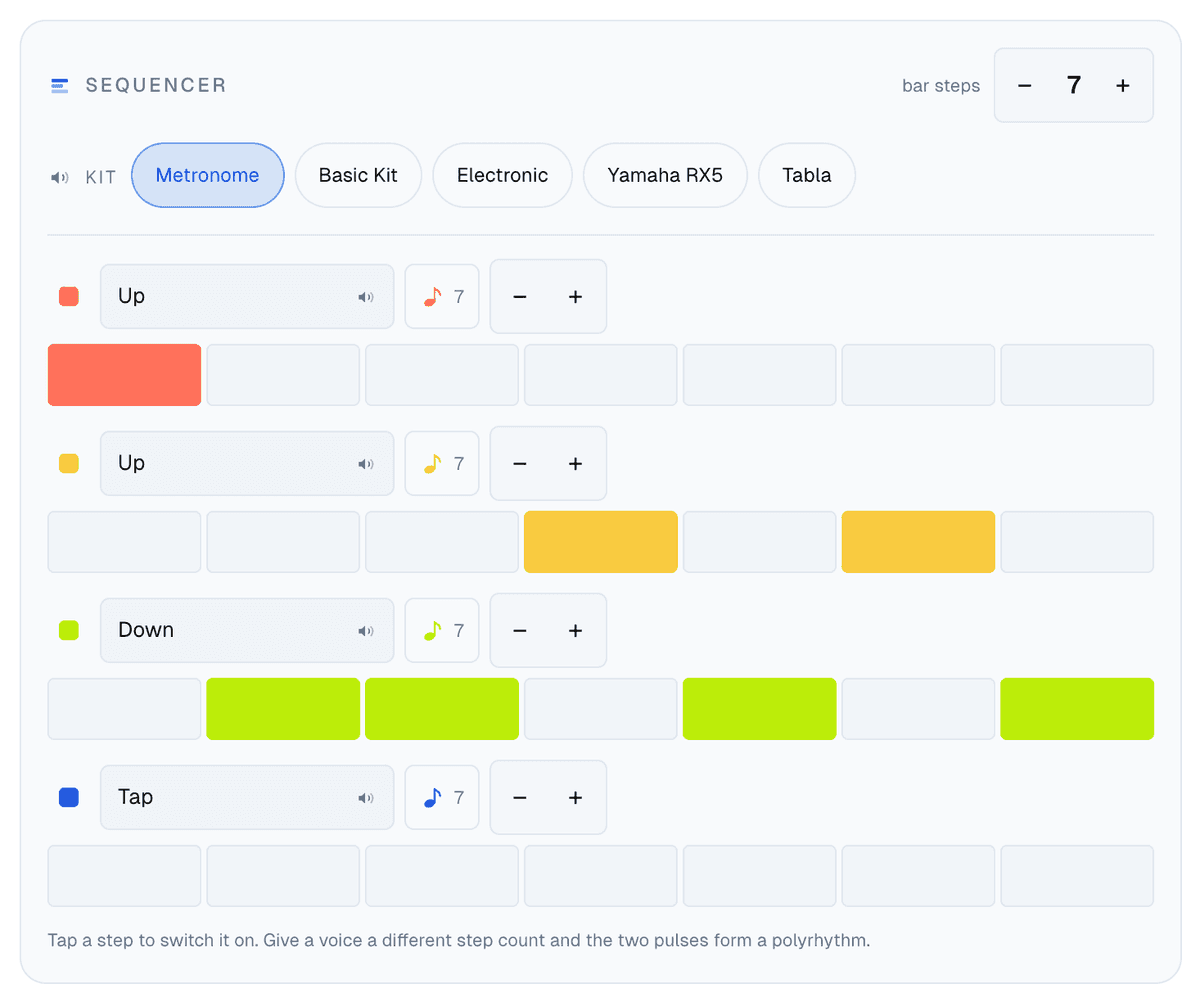
The BPM in an eighth-note meter counts eighths, so 7/8 at 160 is a fairly relaxed tempo. If your piece groups the bar differently (7/8 as 2+2+3, say), move the accents on the second voice by tapping steps. The bar goes up to 24 steps, so almost any grouping you'll meet fits.
Drum grooves and clave
The same grid is a small drum machine. The Drum Patterns group has rock, funk and hip hop grooves on sixteen steps, and Afro-Cuban has son clave, rumba, bossa nova, soukous, gahu and shiko on the Yamaha RX5 kit.
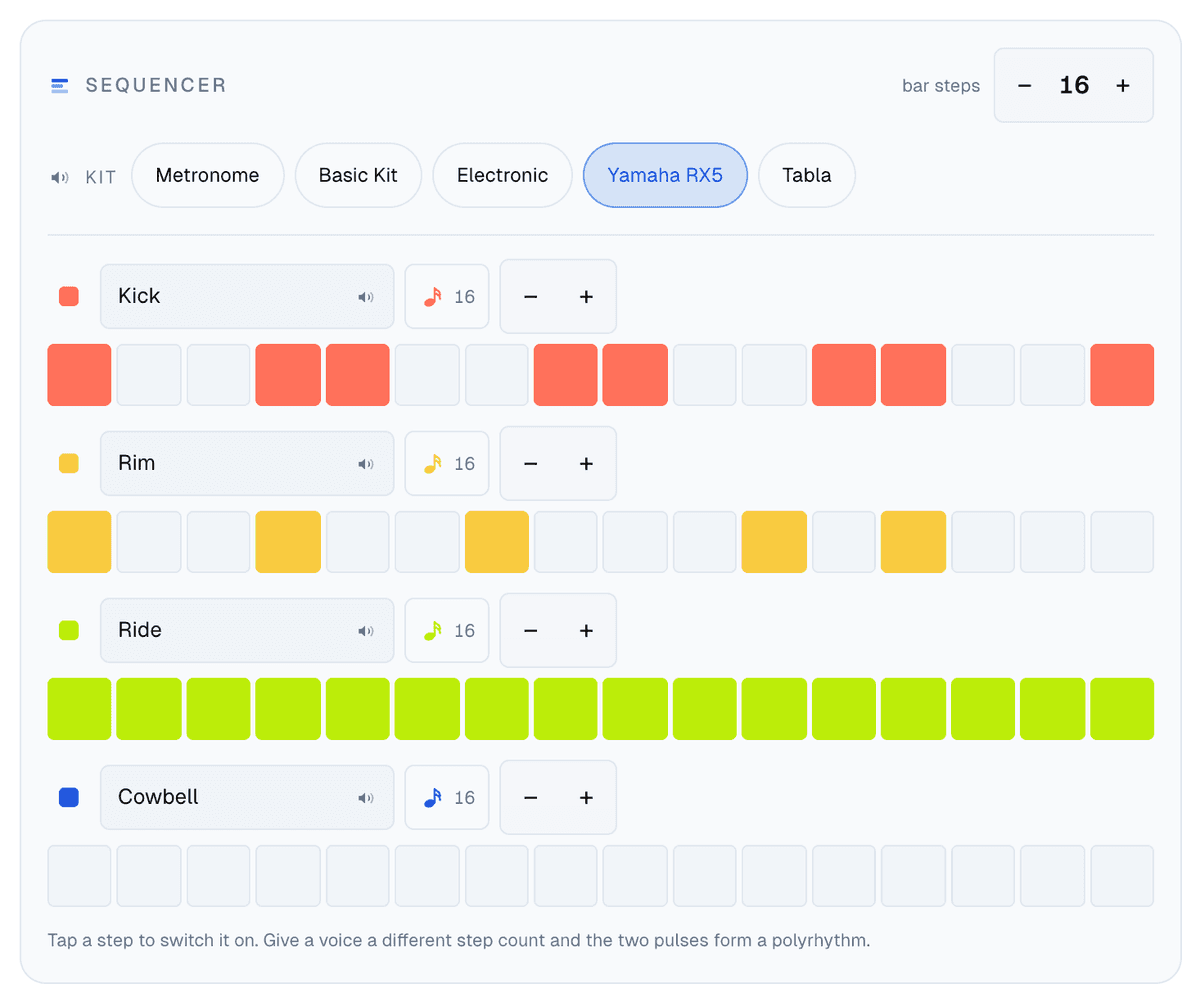
These presets sit at numbers like 400 BPM, which looks absurd until you remember that BPM here counts clicks of the grid. A sixteen-step bar at 400 is 100 in quarter notes, and the transport shows that quarter-note figure next to the big number whenever a step isn't a quarter. Try son clave at 360 (90 in quarters) and play a montuno or a bass tumbao over it.
The speed trainer: let the page raise the tempo
The speed trainer turns a tempo range into a plan. It has four modes:
- Constant: one tempo, no plan.
- By bar: up one step every N bars, so a step at a higher tempo is shorter in seconds.
- By time: up one step every N seconds, whatever the tempo.
- Set time: you give it a session length and a number of steps, and it spreads the range evenly across them. Forty minutes and twelve steps gives you a little over three minutes per step.
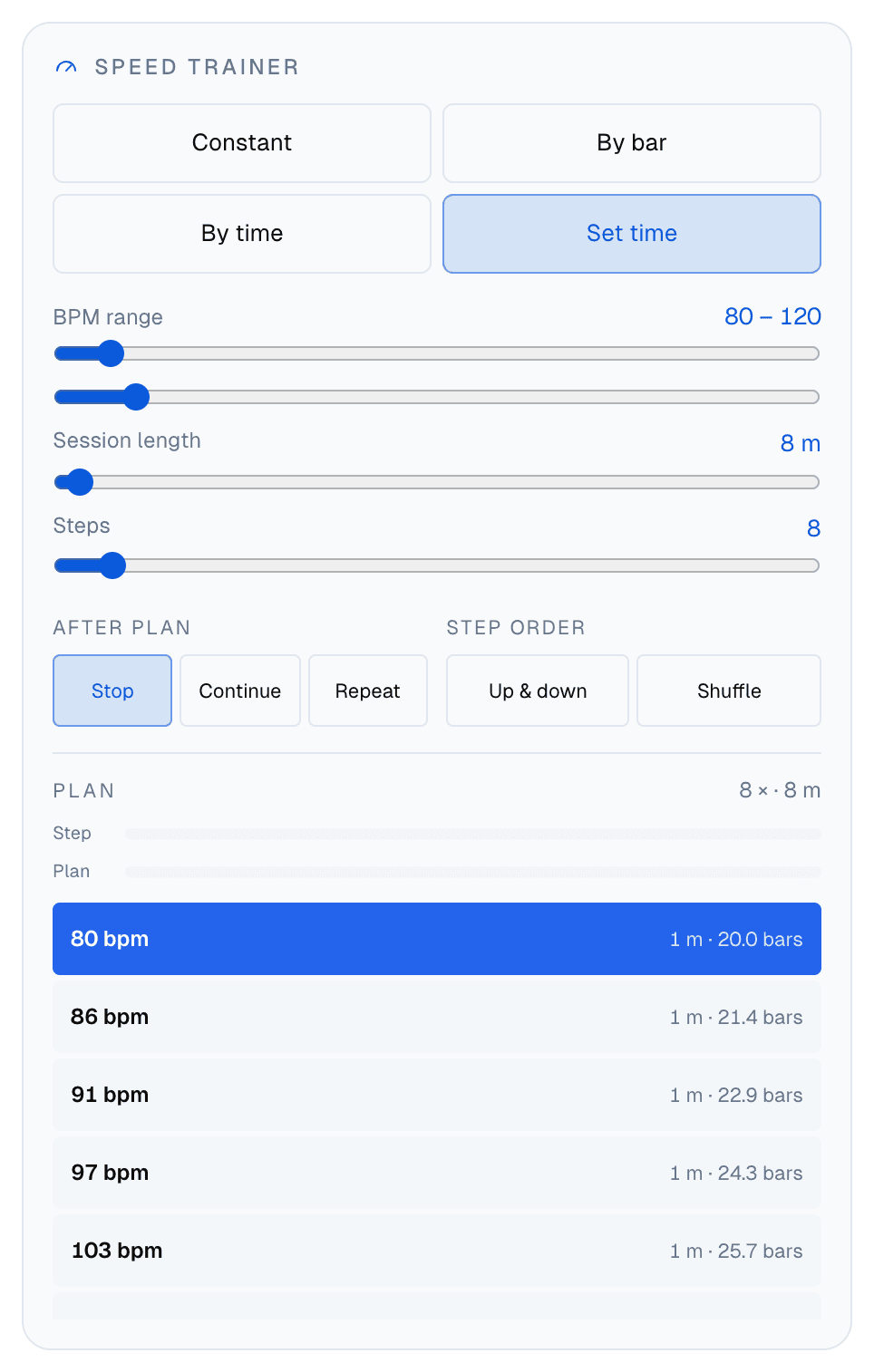
Under the sliders is the plan itself, one row per step with its tempo, its length and how many bars that is. Tap a row to jump to it, or use the left and right arrow keys while it plays. "After plan" decides what happens at the end (stop, carry on at the top tempo, or repeat), and "Step order" can run the plan up and back down, or shuffle it so you can't anticipate the next tempo.
A sensible starting point for a passage you can play at 80 but need at 120: Set time, 80 to 120, 8 minutes, 8 steps. If a step falls apart, tap the row before it and stay there.
Nine ready-made routines
If you'd rather not build a plan, Practice routines pairs a pattern with a full plan. Load puts it on the page so you can look it over; the play button next to it starts it straight away. The filter at the top splits them into Intermediate and Advanced.
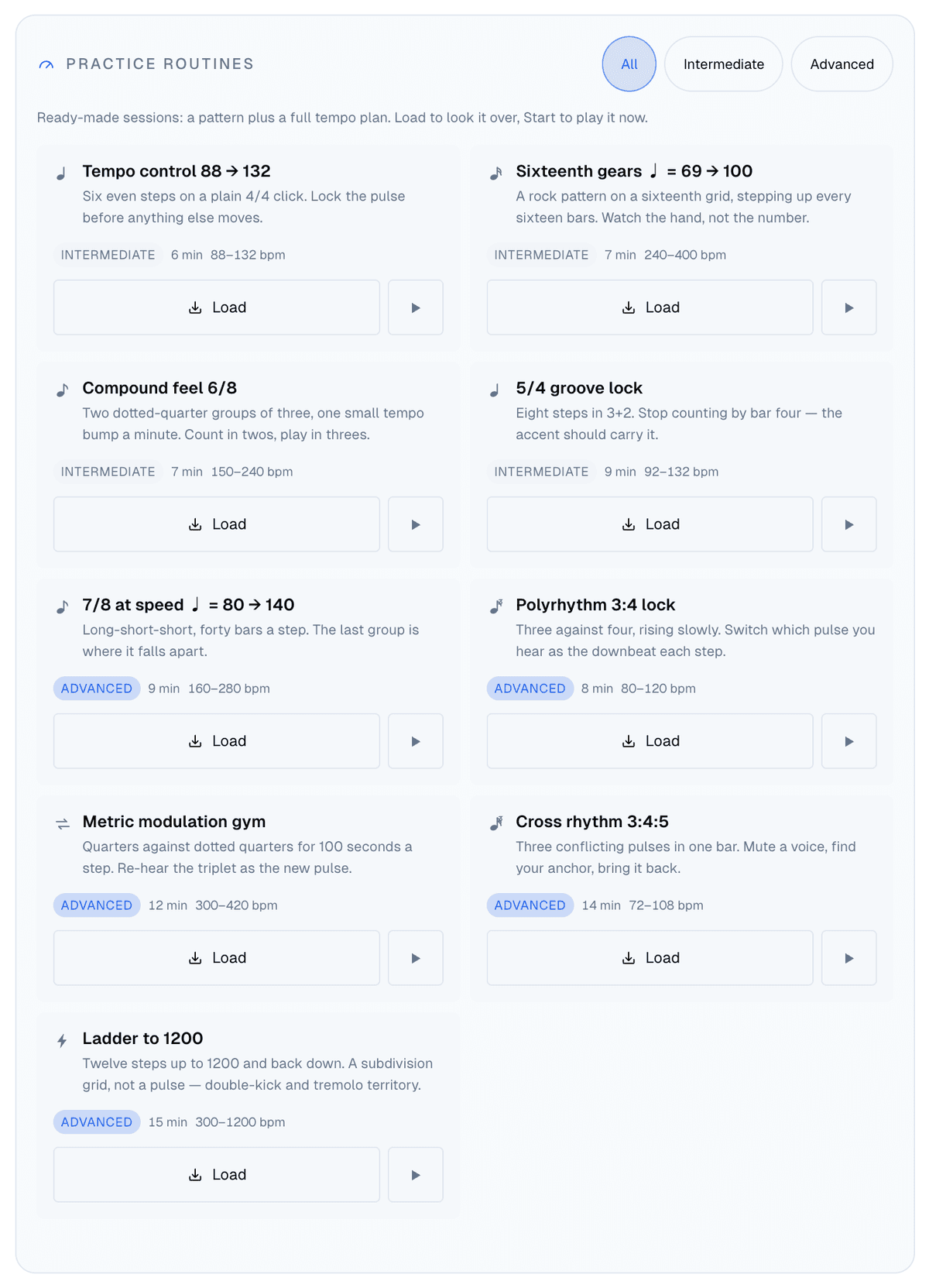
- Tempo control 88 → 132: six even steps on plain 4/4, about six minutes.
- Sixteenth gears: a rock pattern on a sixteenth grid, stepping up every sixteen bars.
- Compound feel 6/8 and 5/4 groove lock: the odd and compound meters, with small tempo steps.
- 7/8 at speed: forty bars per step, from 160 to 280 eighths.
- Polyrhythm 3:4 lock and Cross rhythm 3:4:5: the polyrhythms above with a slow climb.
- Metric modulation gym: four even pulses against three on a twelve-step bar, 100 seconds a step.
- Ladder to 1200: twelve steps from 300 to 1200 and back down, for double kick and tremolo picking.
Metric modulation, worked out for you
Metric modulation means re-hearing one note value as another: the notes keep their speed, but what you call the beat changes, so the written tempo does. The calculator takes the old pulse and what it becomes. The default is the classic one, an eighth-note triplet at 120 re-heard as a plain eighth, which gives 180. Set tempo sends the result to the transport.
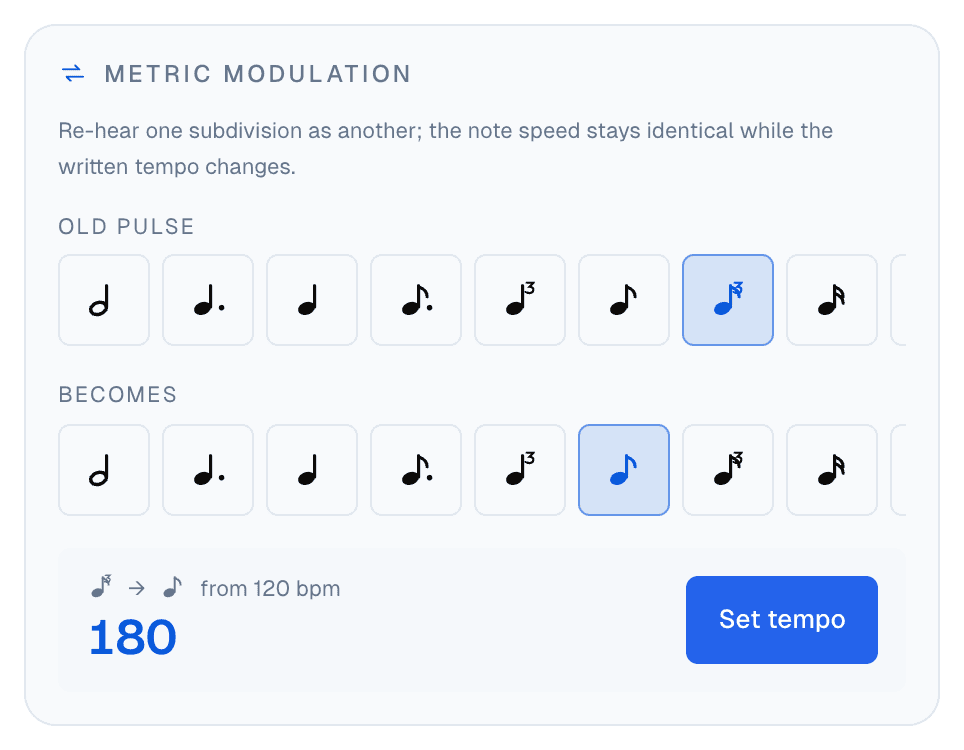
To hear one happen rather than calculate it, load Metric modulation 4 → 3. It lays groups of four against groups of three over a twelve-step grid, so you can switch which one you feel as the beat without the clicks changing at all.
Save it, or send it
Save current keeps whatever you've built (pattern, kit, tempo and plan) in this browser under Saved, with no account. Export writes your saved presets to a JSON file and Import reads it back, which is how you move them from a laptop to a phone.
Every change is also written into the page address as you go. Share copies that link, and whoever opens it gets the same setup, ready to start. That's what every link in this article is, and it's the easiest way for a teacher to hand a student a polyrhythm or a speed-trainer plan.
When the basic one is enough
If you only need a steady click in 4/4 or 3/4, the basic metronome is quicker on a phone. For how to use a click well (where to set it, when to take it away) there's the metronome practice guide. Come to the advanced one when two pulses, an odd meter or a tempo plan is the thing you're working on. Open the advanced metronome and start with 3 over 4.


