


On most mixes the bass is felt more than heard. The kick sits on top of it, the guitars and keys cover its upper harmonics, and small speakers drop the lowest notes altogether. Learning a line by ear from that is slow going. Split the recording into stems and the bass gets a lane of its own. From there it's listening to it alone, slowing it down and checking your hands against a tab, all in the stem separator and its practice screen.
The example is Mgła by 3Biegun, one of our own recordings.
1. Split the song into four stems
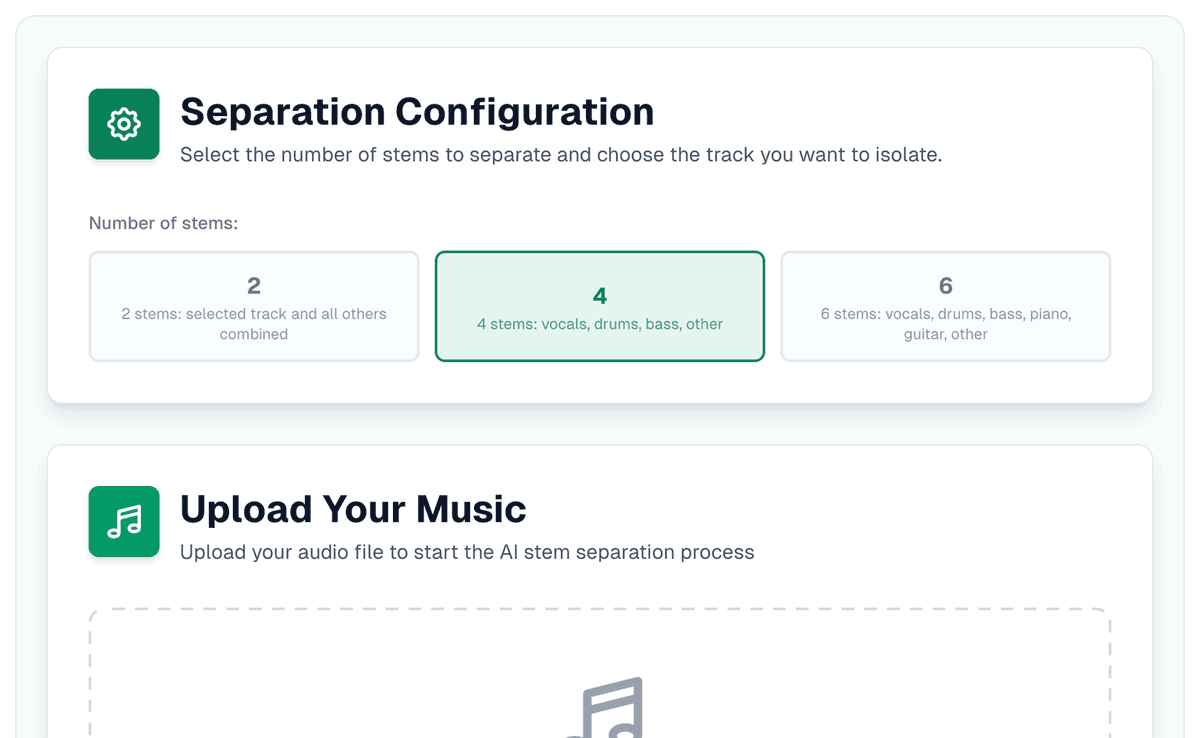
Four is the right setting for a bass line: vocals, drums, bass, and everything else together as "other". The separator starts on four, and six only helps if you also want the guitar and the piano apart. Upload the file (MP3, WAV, FLAC, M4A or OGG, up to 64 MB; 7 minutes long without an account, 10 with a free one) and give it one to three minutes.
2. Solo the bass, then mute it
When the separation finishes, the practice screen opens by itself, no account needed. It gives every stem a lane with M (mute) and S (solo). Solo the bass first and play the line through a few times with nothing else on. Once you have the shape of it, switch the solo off and mute the bass instead. The lane greys out with "muted, you play this part", the drums and the rest carry on, and the only bass left is yours.
3. Slow it down, one bar at a time
The tempo slider runs from 40% to 150% and leaves the pitch alone, so the line at 50% still sits in the song's key. Drag along the time ruler above the lanes to loop the bar that trips you up (a drag on the wave itself only moves through the song), or press "Loop" to loop the section under the playhead. Add a count-in of one, two or four bars so you come in on the one. A loop you'll return to can be saved with a name. Take the loop up to 75, then 100, before you move on.
4. Read the tab, then check it by ear
Press "Play along" above the lanes. Under them you get the song's chords as guitar or piano shapes, and, once the server has read the bass stem, a "Bass tab" strip with the line written out as tab, marked "Read off the bass stem. Tap the tab to jump there." The server does that on its own a minute or two after the separation. A playhead runs along the strip with the song, and the notes already played dim.
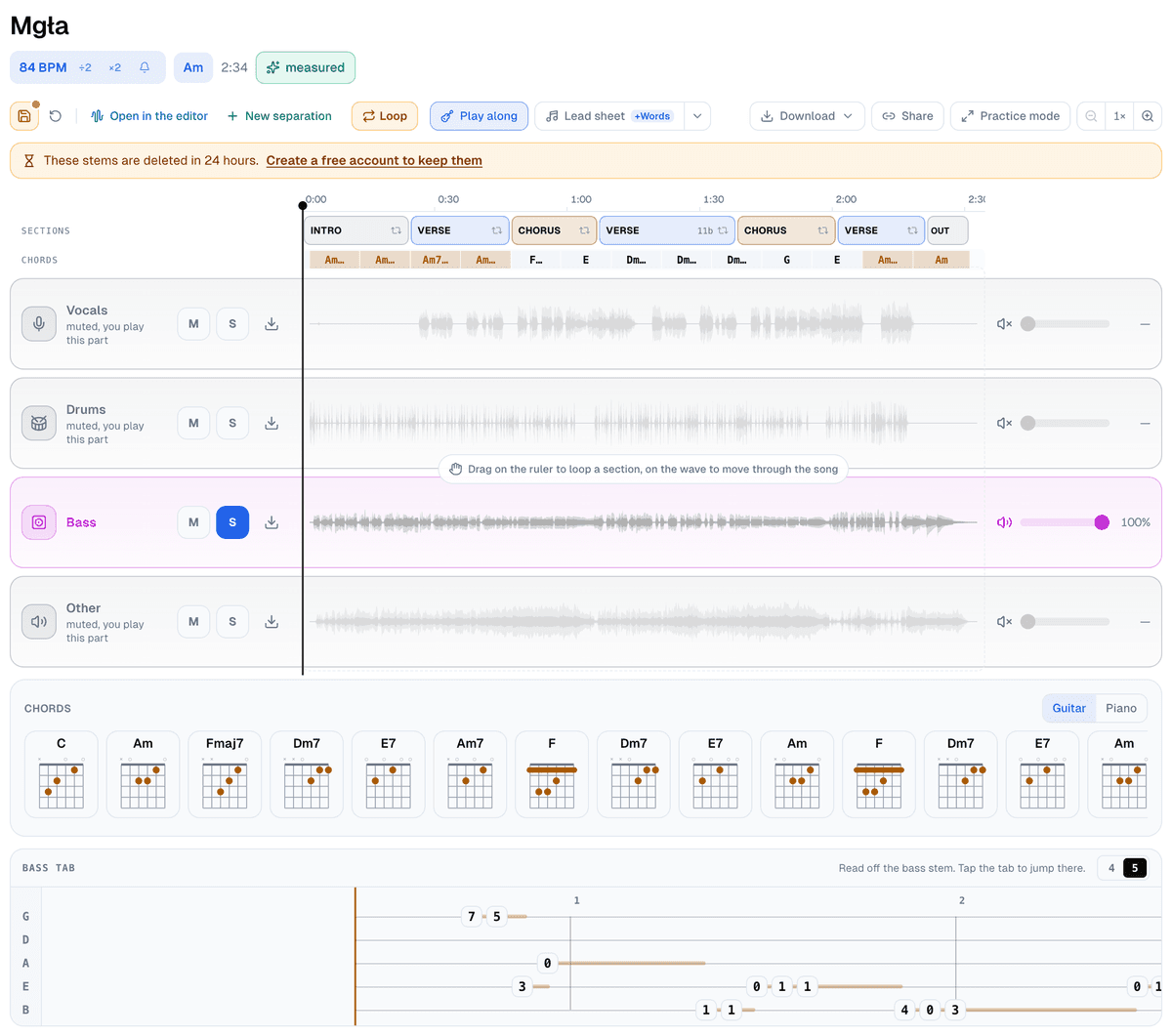
The strip chooses four or five strings for you. It folds the tab to four unless at least three notes fall below the low E, and the 4 | 5 switch in its corner overrides that. Mgła opened on five. Move the song's key and the frets move with it; the strip tells you by how many.
Treat the tab as a first draft. It comes from a pitch tracker working on a separated stem, so a note the kick covered can go missing and a note can land an octave out. Play it against the soloed bass. Where your note and the recording disagree, the recording is right.
5. Keep it
The lead sheet options on the practice screen can add the bass line on a bass-clef staff, read off the same stem, under the chords. "Save session" keeps the tempo, key, muted parts, loops and a note, so tomorrow you open the song exactly where you stopped. Without an account it stays on this device; an account adds the cloud.
Pick a song you'll actually play, split it into four stems in the stem separator, and learn the line at 75% before you try it at full speed.


