


A name like "Interval Finder" suggests a quiz, and there is one, but it is not what loads first. Open the Interval Finder and you land on the Explorer: a two-note picker that names whatever interval you set up, with no right or wrong answer involved. Put notes A and B on the piano (arm one, click a key) and it tells you the distance in semitones and cents, how the same interval gets spelled under different names, what it inverts to, how consonant or dissonant it sounds, and a song that uses it. The quiz sits one tab over, for when you actually want to test yourself.
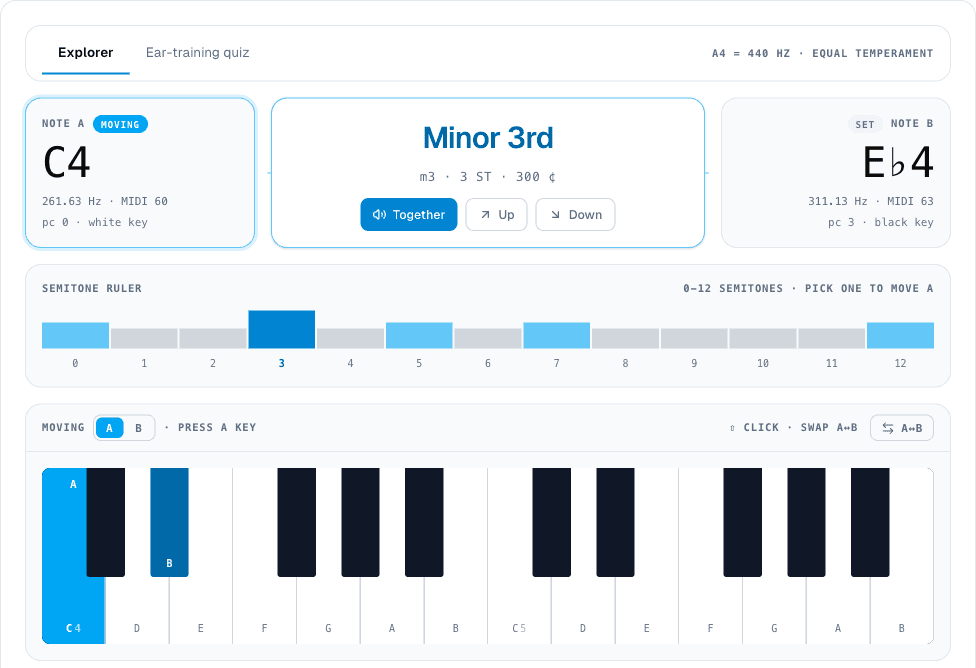
It starts on C4 and E♭4, a minor third, every time you load the page. The two notes aren't saved, but the tab you last used is, along with your quiz settings and stats, so the Explorer is where you land until you switch. One note is always "moving": click any key on the two-octave keyboard, or a number on the semitone ruler above it, to move whichever note is armed, A or B. A small chip above the keyboard shows which one is active, and the A↔B button on the right (or shift-clicking a key, if you have a mouse) swaps A and B outright instead of moving anything, useful when you want to check whether the interval reads the same going the other direction (it always does; the label doesn't move, only the note ordering does).
Four cards worth of context for one interval
Set any two notes and four info cards below the keyboard update together. Enharmonics shows how the same semitone gap gets renamed depending on spelling (three semitones is a minor 3rd as C to E♭ but an augmented 2nd as C to D♯). Inversion shows what happens if you lift the lower note an octave (a minor 3rd inverts to a major 6th). Sound gives the actual just-intonation ratio (6:5 for a minor third) alongside a five-step consonance scale running from "perfect consonance" to "sharp dissonance," in plain language rather than just a number. Where it lives lists real chord symbols and scale contexts the interval shows up in, so a minor 3rd surfaces alongside Cm, Cm7, Cdim, and the minor pentatonic and blues scales.
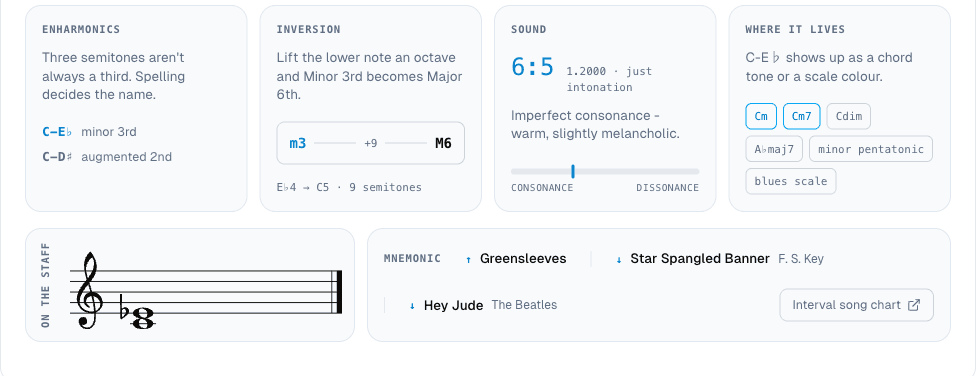
Below that sits a staff showing both notes, and a mnemonic panel with up to three real songs that open on the current interval (Greensleeves and Hey Jude both show up for a minor 3rd), plus a single link to the fuller Interval Song Chart if you want more.
The quiz, when you're ready to test it instead of look it up
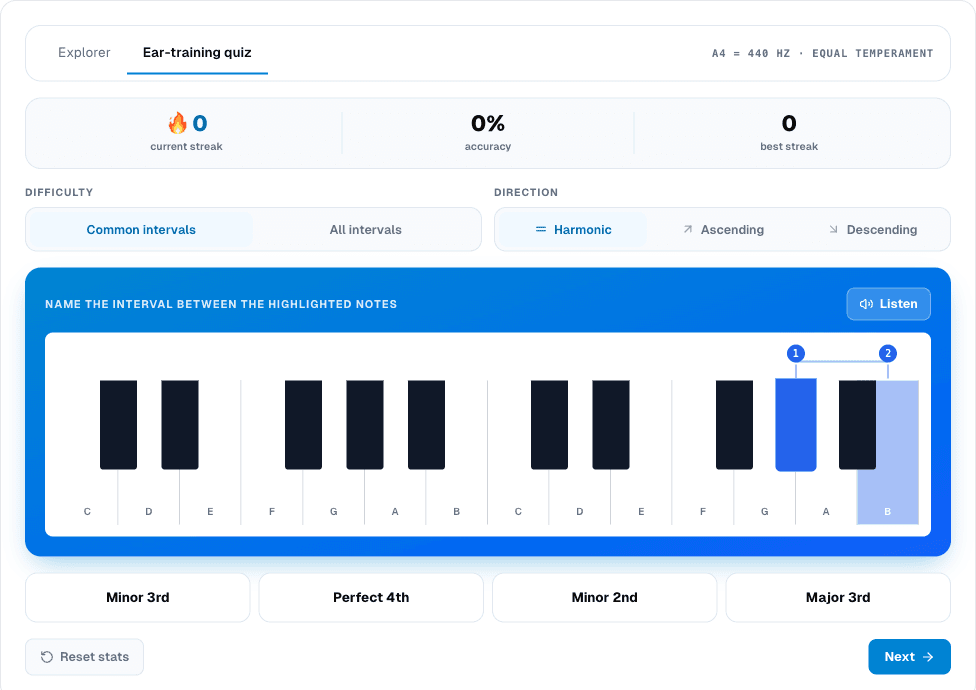
Switch to "Ear-training quiz" and the layout changes completely: a streak, accuracy percentage, and best-streak counter across the top, a difficulty choice (seven "common" intervals or all twelve), a direction choice (harmonic plays both notes together, ascending plays low-then-high, descending plays high-then-low), and a highlighted two-note question on a piano keyboard with a "Listen" button and four answer choices.
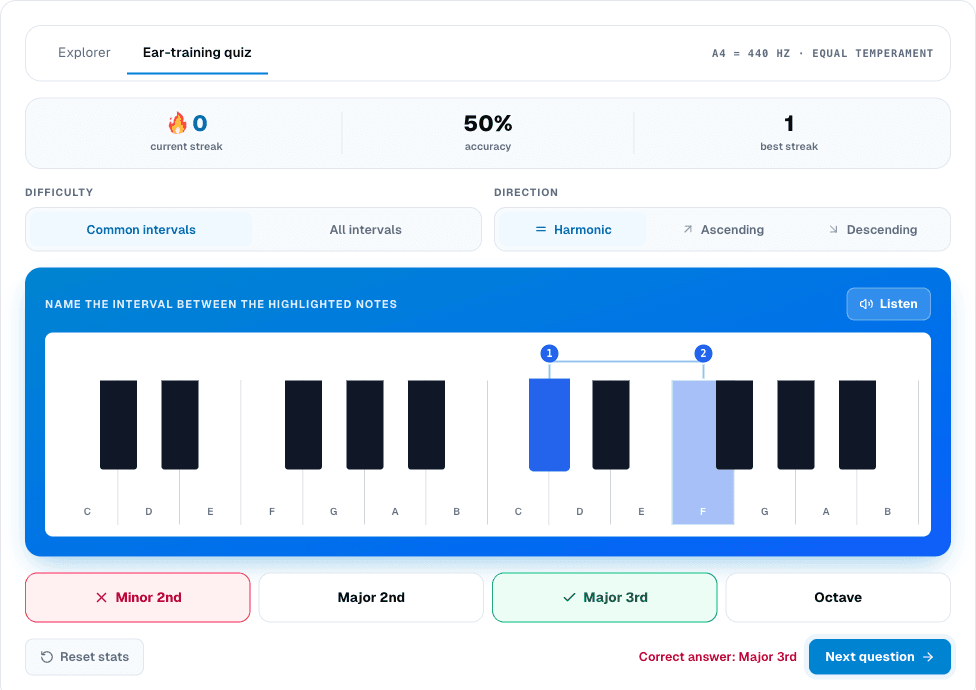
Get it wrong and the screen holds: your answer turns red, the right one turns green, and "Correct answer: [name]" stays on screen until you hit "Next question" yourself, rather than sliding past the miss automatically.
This quiz isn't the only place that trains the same skill. The ear-training intervals drill covers similar ground with a numeric 1-to-5 difficulty scale, four playback modes instead of three, and a sing-back option this quiz doesn't have, but they're not the same tool wearing two names: both write into the same underlying mastery stat, so practicing on either one moves the same needle on your dashboard.
The page's own "How to use it" section only walks through the quiz half, difficulty, direction, and listen-then-answer, and never mentions the Explorer at all, even though the Explorer is what actually loads first. If you came here looking for a quick lookup rather than a drill, you're already on the right tab: the Interval Finder answers "what is this?" before it ever asks "do you know this?"


