


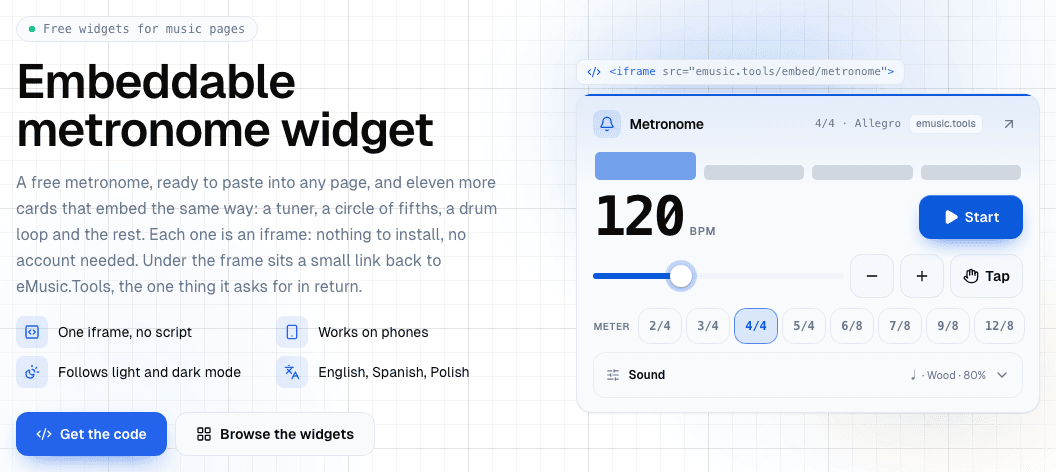
A music school's site usually has a page nobody visits twice: "resources", "for students", "practice at home". eMusic Tools widgets turn that page into something a student uses. There are twelve of them (a metronome, a tuner, a circle of fifths, a drum loop, an interval quiz and more), and each one goes onto your page as a single iframe with a small link under it. There's nothing to install, and neither you nor your students need an account.
This guide is for two people. If you build or look after a site, the sections on the fragment and its settings are yours. If you teach, skip to the ideas for a students' page, then come back for the platform you use.
Try one first
This is the metronome at size M, running on this page from the same fragment you'd paste. The only thing changed is the tempo, which the address sets to 80. Press Start.
What you paste
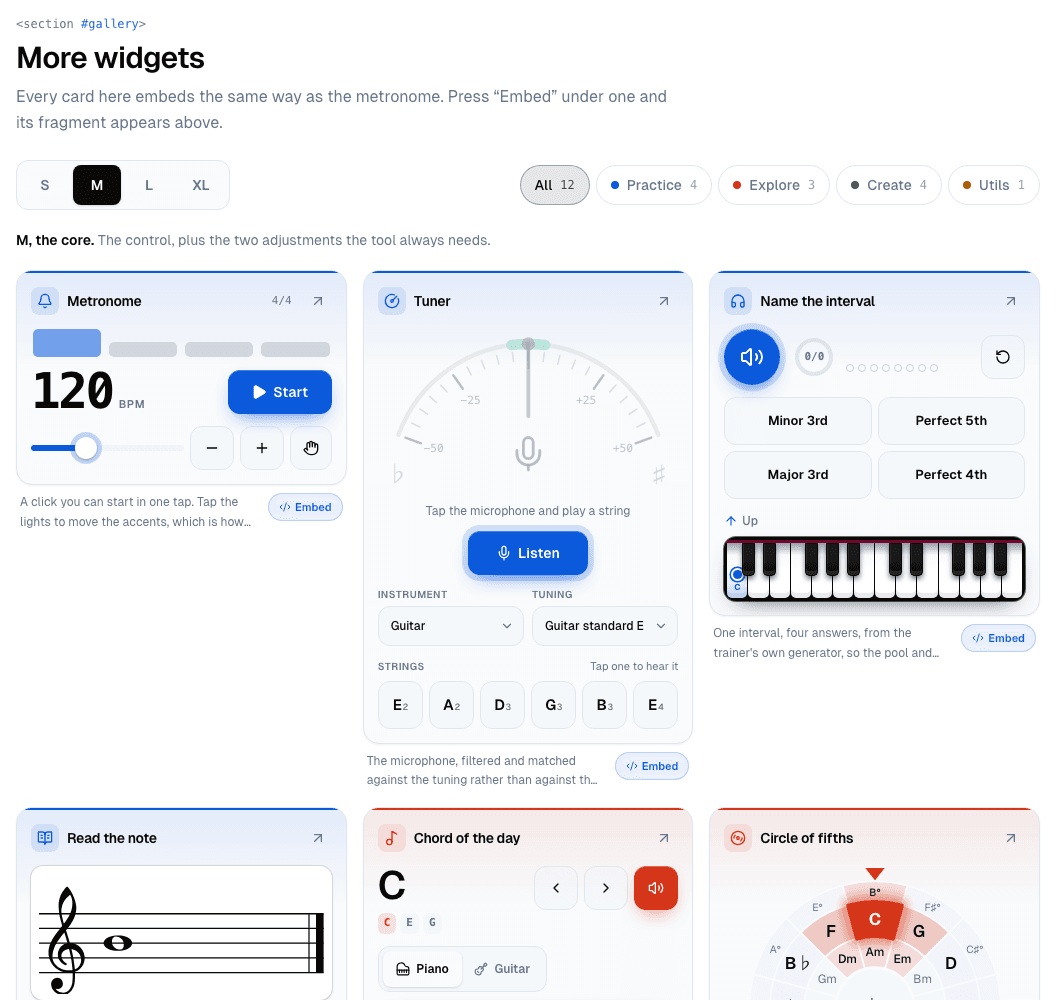
On the widgets page, pick a card and a size, and the code appears next to a preview that loads the very same address. This is what it gives you today for the metronome at M:
<!-- eMusic Tools · metronome -->
<iframe src="https://emusic.tools/embed/metronome?v=1&lang=en&theme=auto&size=m"
  title="Free online metronome" width="100%" height="220"
  style="max-width:560px;border:0;border-radius:12px"
  loading="lazy" allow="autoplay"></iframe>
<p style="margin:6px 0 0;font:12px/1.4 system-ui,sans-serif">
  <a href="https://emusic.tools/en/tools/metronome?utm_source=embed&utm_medium=widget&utm_campaign=metronome">Free online metronome</a>
  by <a href="https://emusic.tools/?utm_source=embed&utm_medium=widget">eMusic Tools</a>
</p>
Line by line:
- The iframe takes the full width of its column (
width="100%") and stops growing at themax-widthin its style, so a small card never stretches into a tile with a hole in it. - The height is fixed, because there's no script to resize the frame. Each card and size has a measured height that fits it from narrow to wide. You'll find the whole list in the table further down.
loading="lazy"means the frame loads only when a reader scrolls near it, so a widget at the bottom of a long page costs nothing up front.allowlists what the card may use:autoplayfor sound, and for the tuner alsomicrophone.- The link under the frame is the one thing the widget asks for. A link inside an iframe doesn't count as a link to search engines, so the only way a widget points back to eMusic Tools is a plain
<a>on your page. It carries nonofollow, and its text names the tool rather than a keyword.
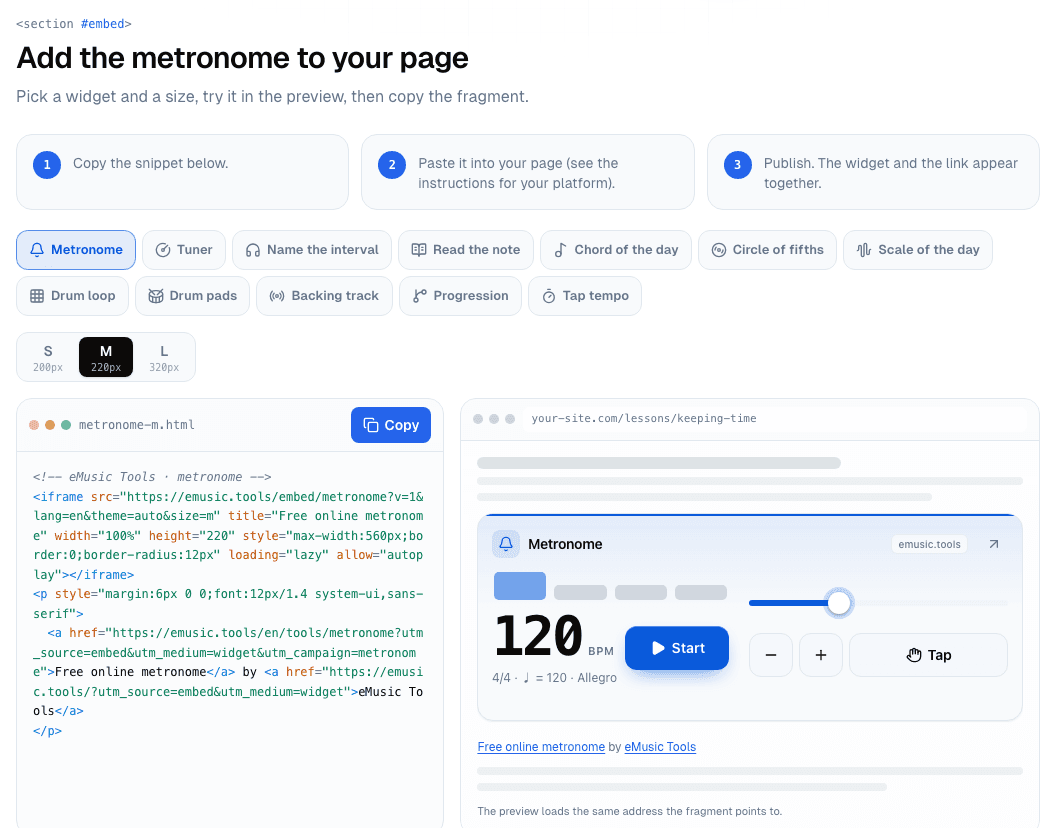
Pick a size: S, M or L
A size decides how much of the tool the card holds. Layout is a separate matter: each card rearranges itself for the width it gets, so the same M card works in a two-column grid on a laptop and full-width on a phone.
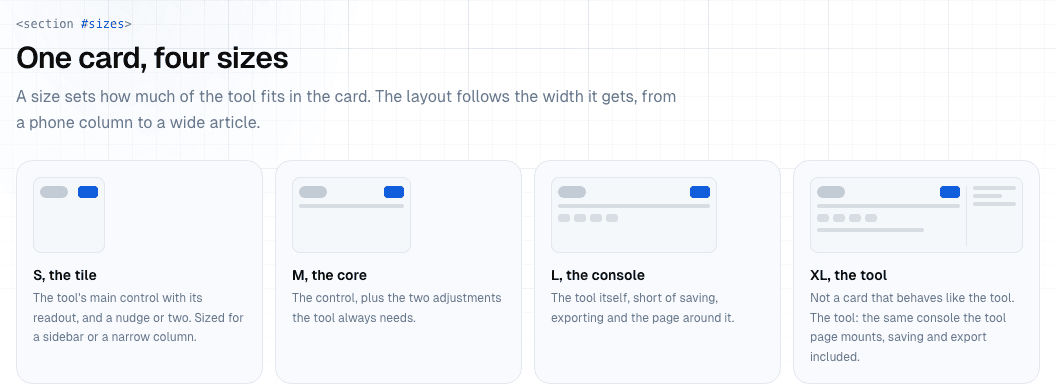
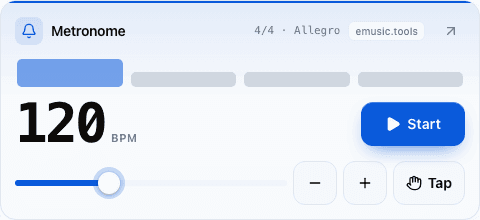
- S, the tile. The main control and its readout. It suits a sidebar or a narrow column.
- M, the core. The control plus the two adjustments the tool always needs. It's the default, and what most article columns want.
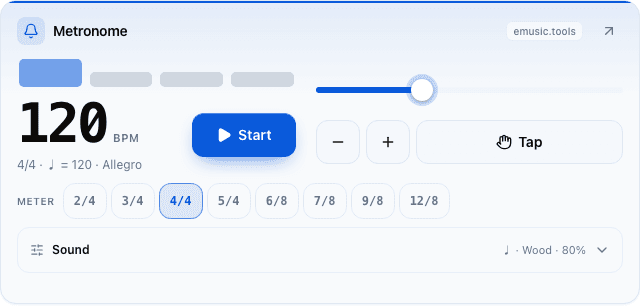
- L, the console. The tool itself, short of saving and exporting: the metronome's odd meters and sounds, the drum loop's sixteen steps, the backing track's fifty-one progressions.
- XL is the full tool page's console. The widgets page has no fragment for it, since it won't fit a blog column. The metronome is the exception: write
size=xlin its address and the frame holds the metronome's own console. The table below stops at L, so set that frame's height yourself. Any other card asked for XL draws its L.
Here's the metronome at all three sizes, at the width a page would give each one:
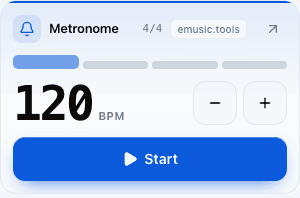
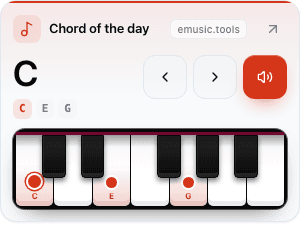
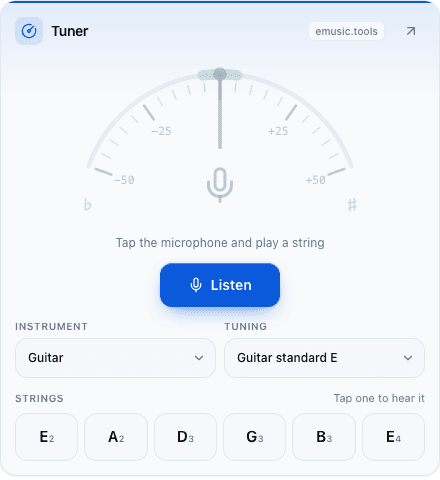
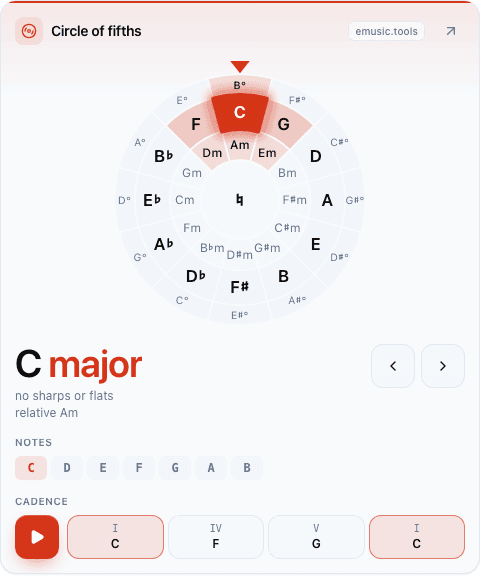
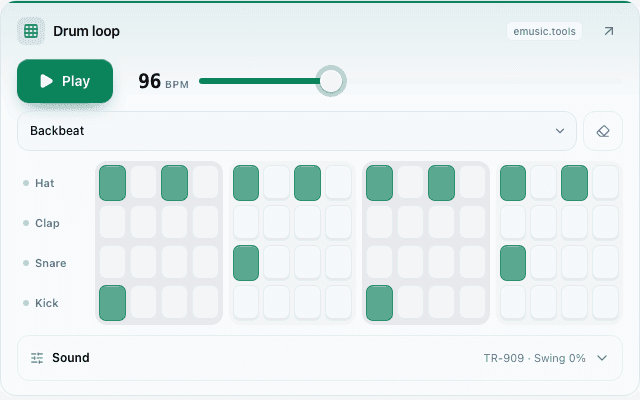
And a few other cards. The chord of the day at S changes every day and plays when tapped. The tuner at M adds the instrument, the tuning and a reference tone for each string. The circle of fifths at M shows the key's notes and plays its I, IV, V, I cadence. The drum loop at L opens the full sixteen-step grid, four kits and swing.
Frame heights for every widget
The fragment already carries the right height. You need this table only when a site builder asks for the height separately, as Wix does.
| Widget | S | M | L |
|---|---|---|---|
| Metronome | 200 | 220 | 320 |
| Tuner | 320 | 490 | 580 |
| Name the interval | 290 | 360 | 430 |
| Read the note | 250 | 340 | 470 |
| Chord of the day | 280 | 340 | 650 |
| Circle of fifths | 400 | 580 | 710 |
| Scale of the day | 300 | 390 | 820 |
| Drum loop | 280 | 370 | 510 |
| Drum pads | 220 | 350 | 560 |
| Backing track | 230 | 310 | 510 |
| Progression | 250 | 350 | 540 |
| Tap tempo | 220 | 290 | 590 |
All values are in pixels. Each one is the tallest the card gets at any width from 240 to 640 px, which is usually the narrow end, so on a wide page an L card can leave some empty space under itself. That's expected.
Settings in the address
Everything the frame needs travels in its src, because a card on someone else's page has no account or cookie to remember anything with. You can edit these by hand:
lang:en,esorpl. The card's words and note names follow it, so onplthe circle of fifths writes H and Fis. Anything else falls back to English.theme:autofollows the visitor's system setting, andlightordarkfixes it to match your site. There's no custom colour palette.size:s,morl. If you change it, changeheighttoo, using the table above.bpm, metronome only: a whole number from 30 to 300. A wrong value (bpm=abc) gives you a metronome at 120, not an error page.v=1is the fragment's version. Leave it as it is.
So a slow practice metronome in Spanish on a dark site starts like this:
https://emusic.tools/embed/metronome?v=1&lang=es&theme=dark&size=m&bpm=60Adding it on your platform
- WordPress: add a Custom HTML block where the widget should go, paste the fragment, preview. The block keeps the iframe and the link as they are.
- Squarespace: drag in a Code block, set it to HTML and paste.
- Wix: from Add, choose Embed a Widget (HTML iframe) and paste the fragment as the code. Wix asks for a height, so type the number from the fragment's
height. - Ghost: add an HTML card to the post or page and paste.
- Blogger: switch the post editor to HTML view, paste, then switch back to Compose.
- Google Sites and Notion: both embed by address, not by pasted HTML. Use only the
srcaddress and leave out the link, since neither lets you place plain HTML beside an embed. The watermark inside the frame still shows readers where the widget comes from. - Plain HTML: paste the fragment inside
<body>.
Notes for developers
- Cards are built with container queries and hold up down to about 220 px. Below that they get cramped, so don't squeeze an L into a sidebar.
- Nothing plays on load. Sound starts when a reader taps, since mobile browsers won't allow it any earlier.
- The tuner's fragment carries
allow="microphone", so the browser asks the reader the first time they tap Listen. If your CMS strips that attribute, the tuner says it has no microphone instead of failing silently. - The frame sets no cookies and doesn't touch
localStorage. We record that a widget ran on a given domain, with a hashed IP rather than a plain one, so we can see which sites use it. - The address always serves the current version, so improvements reach your page without you editing anything. The terms promise 30 days' notice before a widget is changed or retired.
- Each frame is its own small page. With
loading="lazy"only the ones in view load, but a page of twelve is still twelve documents, so pick the ones your readers need.
Ideas for music teachers
You don't need to know HTML beyond copy and paste. Here's what works on a teacher's or a school's page:
- A "practice at home" page with the metronome and the tuner, both at M. Students tune before they start and play the week's piece at the tempo you set in the address, say
bpm=72. - "Name the interval" and "Read the note" make short warm-ups for ear training and reading. At L, the interval card lets the student choose difficulty and direction, and the note card opens the clef, eight key signatures and the ledger lines.
- Put the circle of fifths beside a page on key signatures, or the scale of the day on a page about modes. Tap a key on the wheel and it turns there; the key's chord buttons play when you tap them.
- The backing track gives students something to play over: it loops chords, bass and drums in any key. At L it opens fifty-one progressions, the twelve-bar blues and the ii V I among them, which is plenty for practising improvisation.
- For a drum class, the drum loop at L is a sixteen-step grid with swing, and tap tempo helps a student find the speed of a recording.
A school site on Google Sites takes only the address, so copy the src part of the fragment. Students open the page on a phone, tap, and it works, with nothing to sign in to.
The terms, briefly
You can embed any widget on any site, personal or commercial, for free. The watermark inside the frame and the link under it stay: that's the price of a free tool. The frame has a light and a dark theme and nothing more to restyle, since your CSS can't reach inside an iframe.
Pick a card, a size and a language on the widgets page, check it in the preview, and copy the fragment.


