


A band that plays the same blues in C every time isn't quite ready for a singer who needs it in E♭, or a horn player who reads it in F. The backing track builder has a real twelve-bar blues built in, and moving it between keys costs one dropdown, which makes it a decent way to practise something most guitarists and pianists put off: playing the same form somewhere else on the neck or keyboard.
Load the form
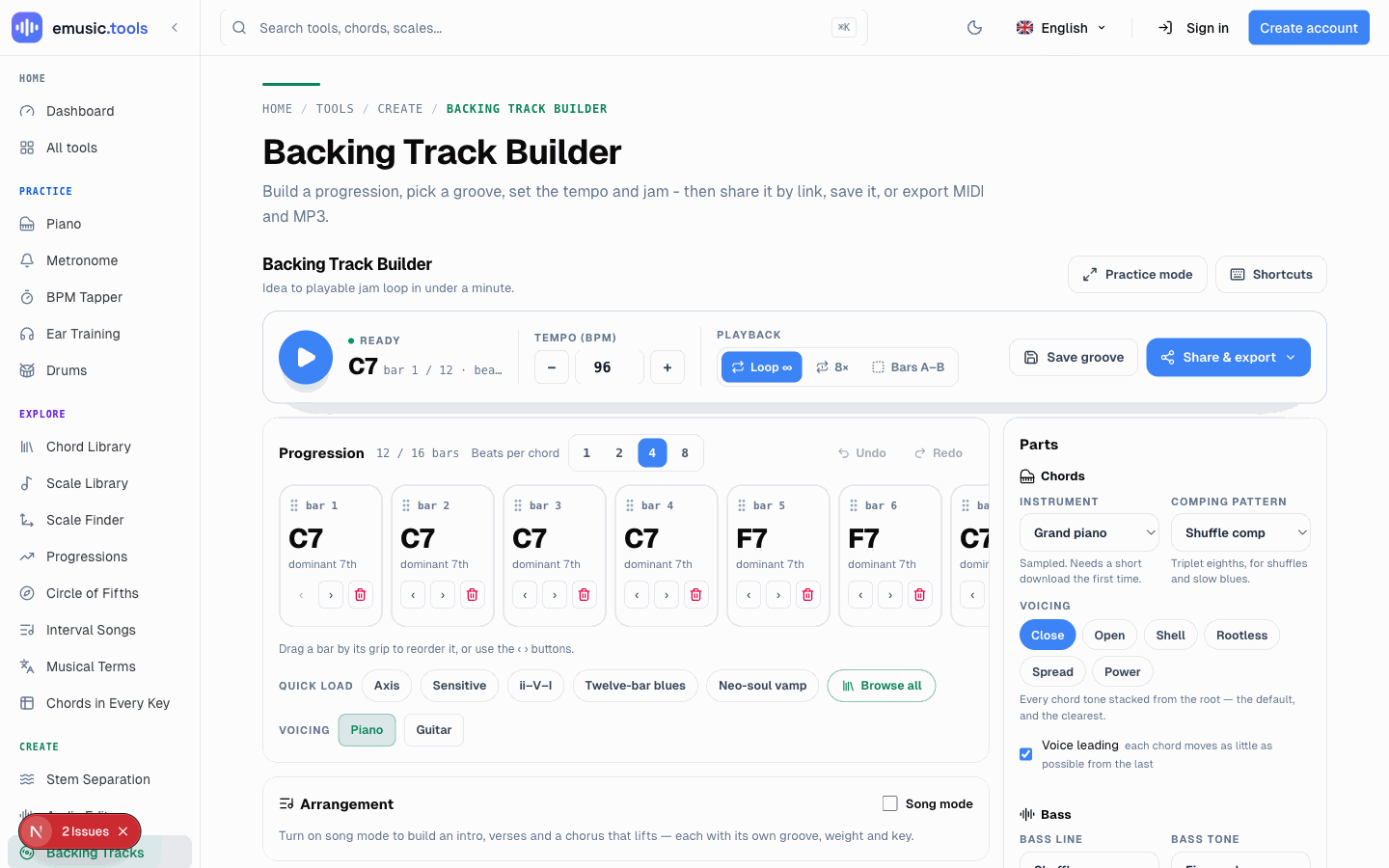
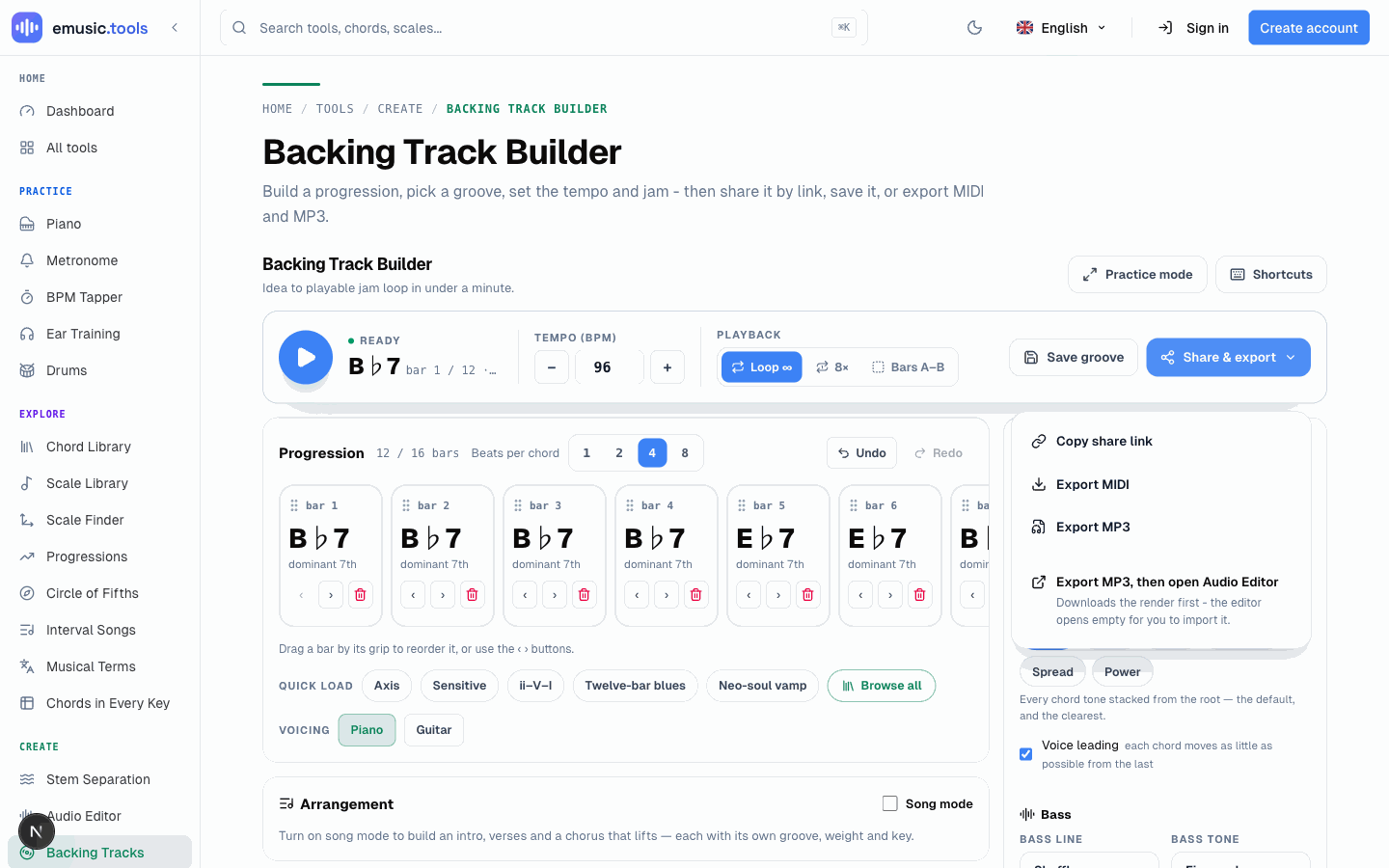
Pick "Twelve-bar blues" from the Quick load chips under the progression grid (it's also filed under the Blues group if you open the full library with Browse all). It loads as the standard I, I, I, I, IV, IV, I, I, V, IV, I, V form at 96 BPM, dominant sevenths all the way through, with the comping pattern set to a shuffle and the bass on a matching shuffle line. That's the plain form, no substitutions yet.
Mute your way through it
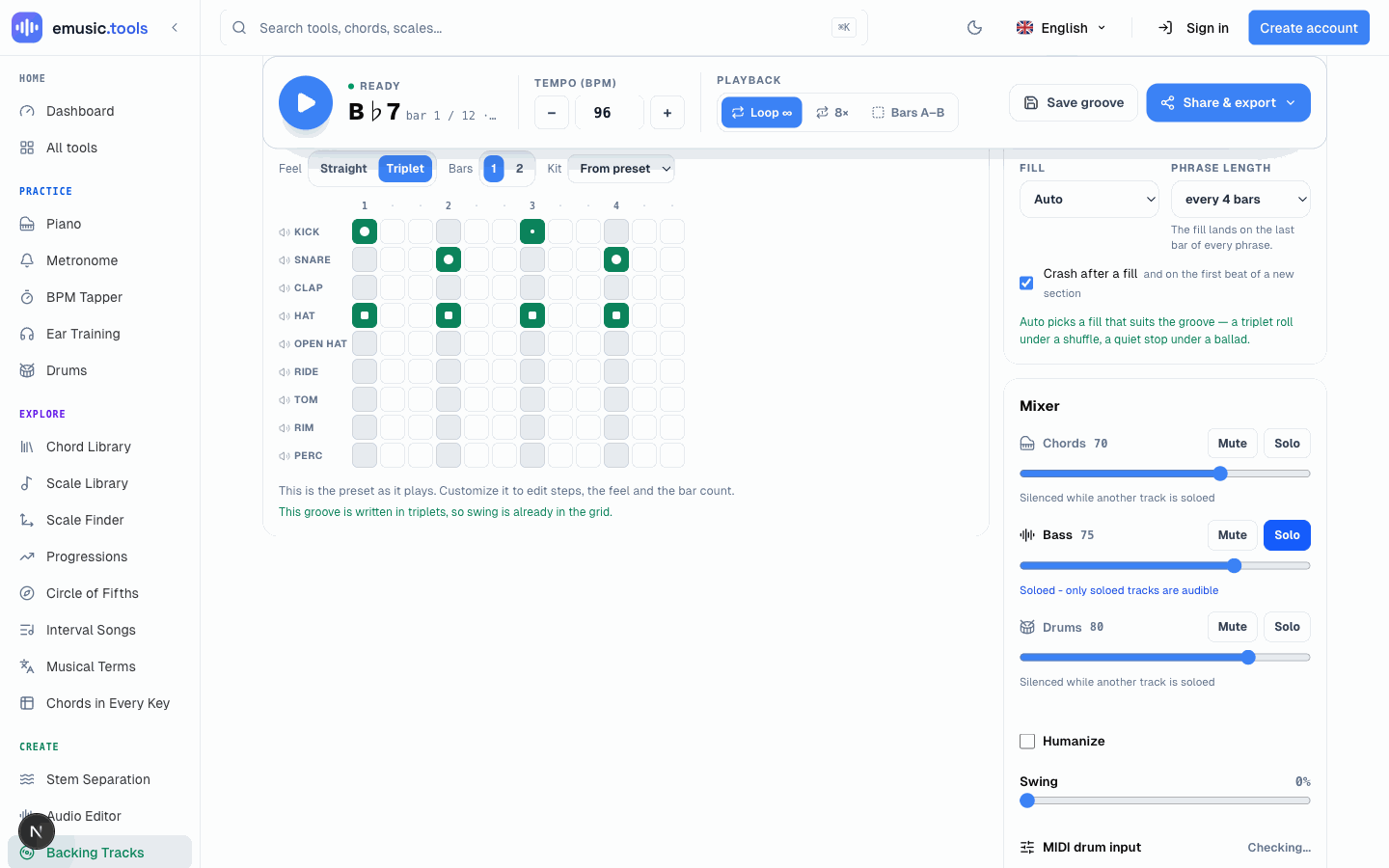
The Mixer under Parts has Mute and Solo on all three tracks: chords, bass and drums. Solo the bass and you get the shuffle line on its own, which is the part worth learning by ear before you try to comp over it. Mute the bass and drums instead and only the piano or guitar comping is left, useful for checking your own chord voicings against a reference. Solo drums alone and you have a click with a shuffle feel, nothing else, for practising the changes from memory.
Move it to another key
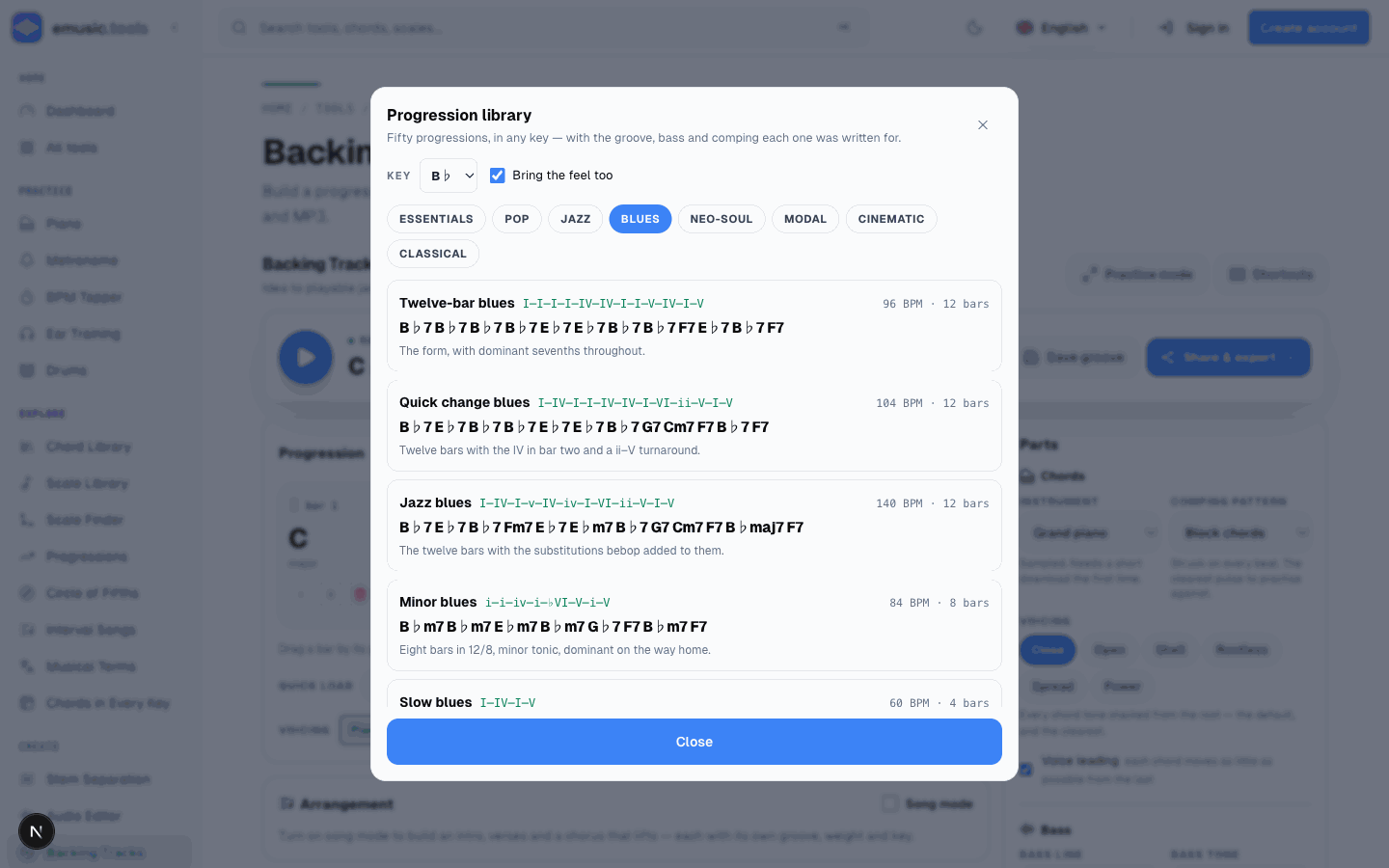
Open the progression library (Browse all), and the Key dropdown at the top sets which of the twelve keys the whole pack loads into, with "Bring the feel too" keeping the groove, bass style and comping pattern attached. Set it to B♭ and load Twelve-bar blues again: it comes back as B♭7, E♭7 and F7, not some pitch-shifted approximation. That's a real difference from most transpose tools, which only move pitch classes around: this one respells every chord with the letter names a blues in B♭ actually uses, so what's on screen matches what you'd write on a chart.
Do the same into F, and you've played the identical form in three keys inside a few minutes, which is the actual point of the exercise: the chord shapes move, the muscle memory for the form doesn't.
Practice mode, for when you'd rather not look at a screen full of controls
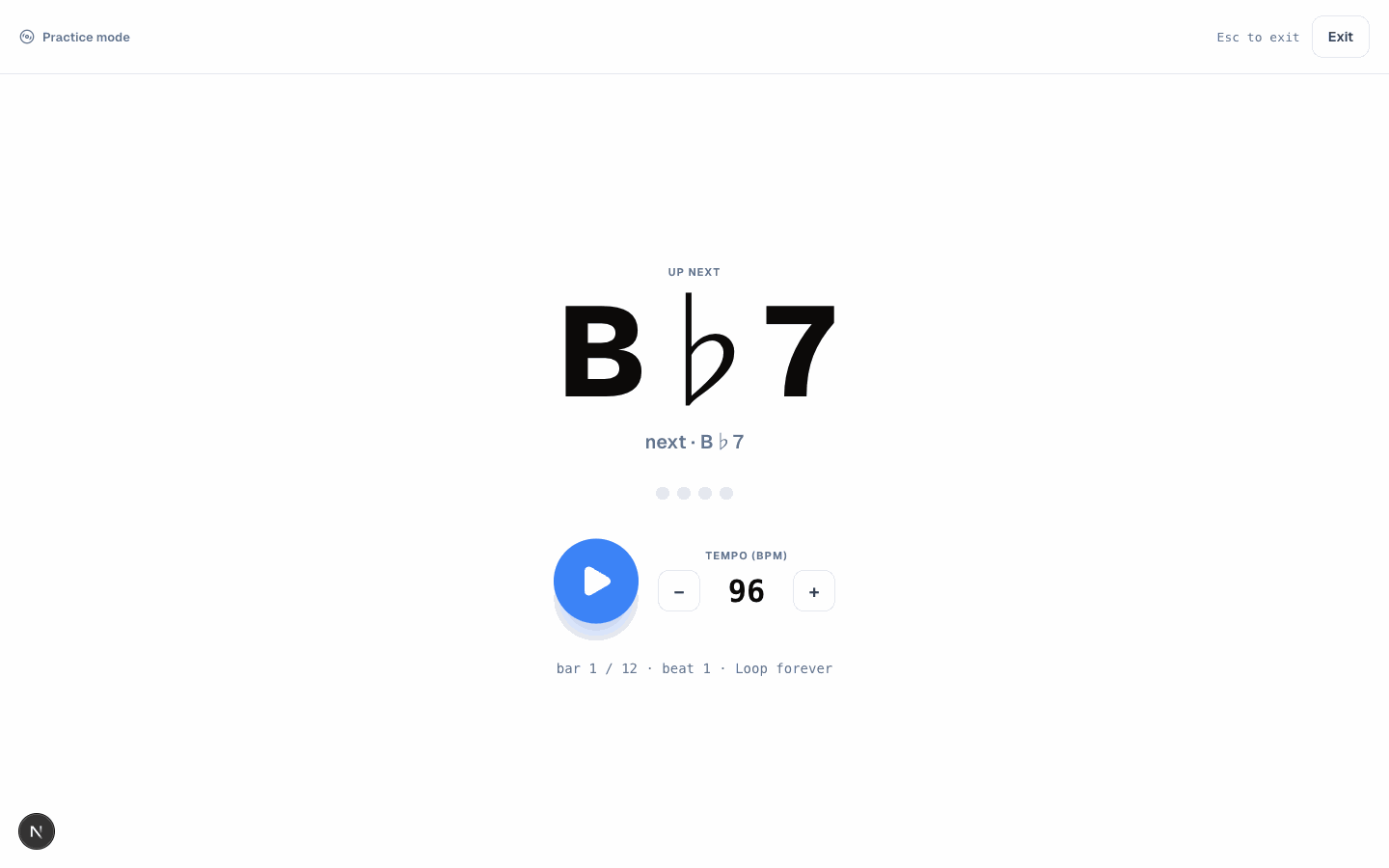
Practice mode clears everything except a big readout of the current chord, an "up next" preview underneath it, and the transport. It's meant for exactly this: eyes on your hands or your instrument, not on a mixer, with just enough information to know what's coming a beat or two before it arrives.
Take it further
Share & export copies a link with the whole session (progression, drum pattern, tempo, swing, mix, playback mode) encoded in the URL, so a practice partner opens the exact same loop. Export MIDI writes three tracks (chords, bass, and drums on the General MIDI channel) for pulling into a DAW, and Export MP3 renders the loop as audio. A second option downloads the MP3 and then opens the audio editor, where you import the file yourself. None of it needs an account.
Once the plain twelve-bar form sits comfortably in three keys, the Blues group in the library has four more variants worth the same treatment: a quick-change version with the IV in bar two, a jazz blues with bebop substitutions, a minor blues in 12/8, and a slow blues built on ninth chords at 60 BPM.


