


When you're not sure what chord you're playing, the usual move is to try different shapes until something works. It works, but it's slow and you don't really know why it sounds good.
A chord generator changes that. It doesn't just give you the name. It shows you what the chord is made of.
Start with a root
You begin by choosing a root note. For example, C. From there you get different options:
- C major
- C minor
- C7
- Cmaj7
This is where it becomes useful.
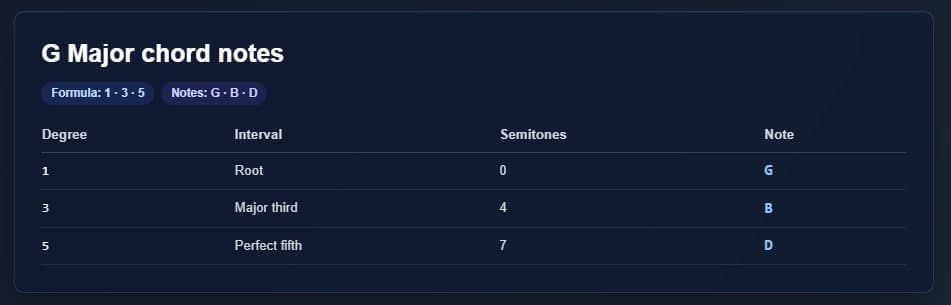
Seeing the notes changes everything
You don't just see the chord name. You see the notes:
- C major → C - E - G
- C minor → C - Eb - G
Now it makes sense. You can clearly see that only one note changes, and that explains the difference in sound.

Using it while playing
This is where it really helps. You're working on a progression and something feels off. Instead of guessing:
- Check the chord
- Look at the notes
- See what might be wrong
If you're using C major but the feeling is too dark, you try C minor and notice the change from E to Eb. Now you're making decisions on purpose.
From shapes to structure
At first it's normal to think in shapes, especially on guitar or piano. But this shifts your mindset. You start seeing chords as note structures. That helps you:
- Move chords to other keys
- Understand why they work together
- Build variations more easily
Changing things without breaking everything
You can adjust the feel without starting over. Example: C - G - Am becomes:
- C → C7
- Am → Am7
Same base, different sound.
When to use it
Not to memorize chords. Use it when:
- Something doesn't sound right
- You want variation
- You don't know what you're playing
- You want to understand it
Conclusion
A chord generator won't make you better on its own. But it changes how you work. You stop guessing and start understanding. That's where control comes from.


