


When a melody doesn't work, it's usually because one note doesn't belong. It's not bad hearing. It's the wrong set of notes.
That's where a scale generator helps.
Start with a clear base
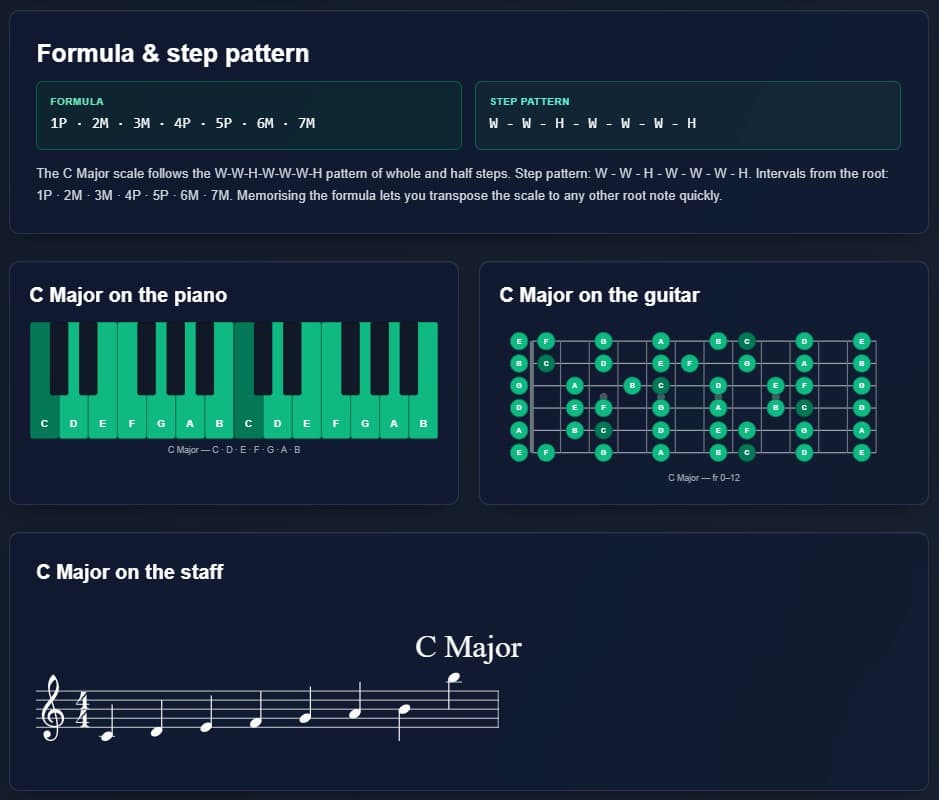
Choose a root and a scale. Example: C major. You get:
- C, D, E, F, G, A, B
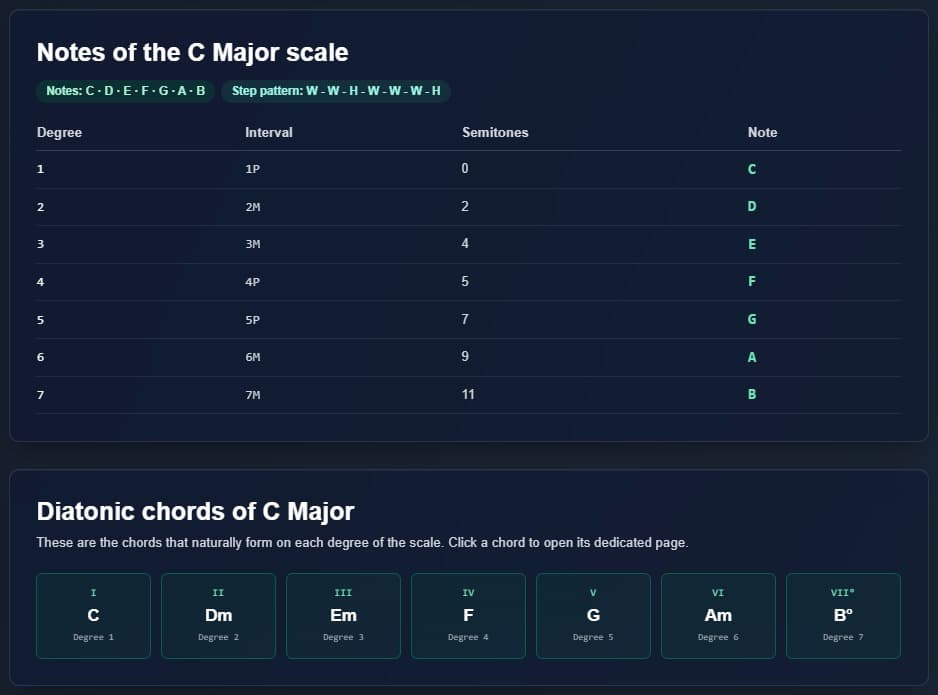
That's your framework.
Improvise with confidence
As long as you stay inside those notes, everything fits. You don't have to keep wondering if something will sound wrong.
Spot mistakes quickly
If something sounds off:
- Check the scale
- See if the note belongs
If it doesn't, that's the issue. Example: you're in C major and play F sharp. That's outside.
Using it while creating
- Pick a scale
- Build your melody inside it
- Adjust as you go
Everything stays consistent.
Connecting with chords
Chords come from the same scale. In C major: C, F, G, Am. They're not random.
You don't need many scales
You don't need to learn everything at once. One well understood scale is enough to do a lot.
Conclusion
A scale generator doesn't limit you. It simplifies things and helps everything fit together.


